
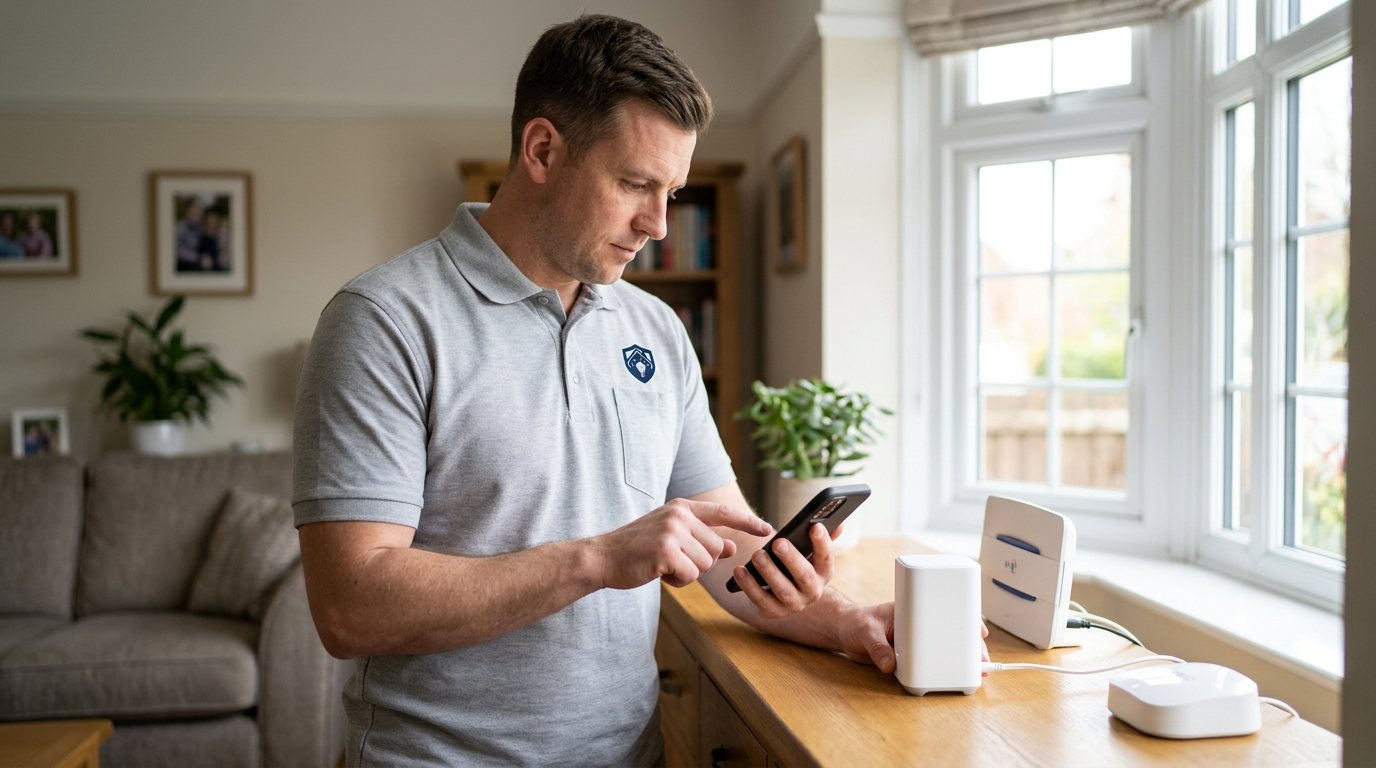
Locked Out of Your Security App? We’ll Restore the Right Access in Shirley
We diagnose user access problems and restore the correct account permissions without bypassing system security.
Booking fee plus hourly labour — the price is confirmed before any work starts.
What this costs
| Booked 14+ days ahead | £25 booking fee £85 per hour |
|---|---|
| Booked within 48 hours | £100 booking fee £65 per hour |
| Same-day call-out | £220 booking fee £45 per hour |
The booking fee secures the visit. Labour is then charged by the hour, so you only pay for the time the job actually takes.
Booking fee £25–£220
£25 + £85/hr booked 14+ days ahead, £100 + £65/hr inside 48 hours, £220 + £45/hr same day. Agreed before we arrive.
Covered under Smart Security
Security & CCTV › Smart Security — one of 20 documented jobs in this section.
Same-day user access problems
Urgent jobs can often be booked for today. Ask when you book and we will confirm the slot before you pay anything.
15 service areas
Birmingham, Coventry, Dorridge and 12 more across the West Midlands.
Smart security access combines several controls: your app sign-in, the manufacturer's account, the local hub, phone permissions and sometimes a separate shared-user invitation. An access problem can therefore look like a forgotten password while actually being an expired invite, a changed email address or a phone that has lost the app's permissions. It is important to restore the right access rather than bypass a security control, particularly on equipment intended to protect a home.
Common access problems
The most frequent cause is a password or account mismatch: people may have signed in with a different email address, used a social sign-in originally, or changed a password without updating a second device. A new phone may still need an invitation from the system owner, and an old invitation may have expired. If a user can sign in but cannot see devices, the account may lack the correct permission level. App updates can also revoke local-network or notification permissions, making a valid account appear broken.
How we identify the cause
We establish who owns the system account and what access you are meant to have. Then we check whether the owner account can sign in, whether the affected user has an active invitation, what permission level is assigned, and whether the phone's app permissions are correct. If the problem is with password recovery or account verification, we guide you through the manufacturer's official process; only the account owner can complete certain identity steps, and we will never ask you to disclose a password or verification code to us.
Restoring access properly
For a valid account, fixes may include re-sending an invitation, correcting a user role, reconnecting the app to the right account, or restoring phone permissions. If you are the owner and have lost access to the owner account, the manufacturer's recovery process is usually required. We cannot bypass account ownership, remove authentication or take over an account, and we will not advise you to share credentials as a workaround. That boundary protects you as much as the system.
Shared homes and former users
Access deserves a periodic review. If a household member has moved out or a phone has been lost, the system owner should revoke that user's access through the official controls and change any credentials that may have been shared. We can show you where those settings live, but the owner must authorise changes. For rented or shared buildings, the landlord or building manager may control the system and permission may be needed before any account changes.
What depends on the provider
Some account functions rely on the manufacturer's cloud service, identity checks or subscription. We can diagnose local settings and guide the supported process, but we cannot guarantee a third-party service or recover an account that the provider cannot verify. We will explain clearly when the next step belongs with the manufacturer rather than charging you to repeat a process we cannot control.
Booking
Book through the website or by phone. Tell us whether you are the system owner or an invited user, what device you are signing in on, what message appears and whether another authorised user can still access the system. Do not send passwords, recovery codes or verification codes when booking.
Keeping access manageable
A small access routine prevents many repeat problems. Keep a record of which account owns the system, use an email address the owner can continue to access, and invite each family member separately rather than sharing one login. When someone no longer needs access, remove their user entry through the owner account; if a phone is lost, revoke its session where the app allows it. We can show you the supported controls and explain what each role can do, so you can keep access current without weakening security.
How the price works
We charge a booking fee to hold your slot, then an hourly rate for the work itself. The fee changes with how soon you need us; the hourly rate changes with the slot you choose. You approve the price before we start, so there is no surprise on the invoice.
Booked 14+ days ahead
£25 booking fee
then £85 per hour of labour
Best value. Book the slot now, pay the smallest booking fee.
Booked within 48 hours
£100 booking fee
then £65 per hour of labour
For jobs that can wait a day or two but not a fortnight.
Same-day call-out
£220 booking fee
then £45 per hour of labour
Urgent problems: standing water, no heat, no power, leaks.
Book the slot
Choose the window that suits you and pay the booking fee. That holds your place in the diary.
We diagnose on site
The engineer confirms the cause and tells you what the job involves and how long it should take.
You approve, we work
Nothing goes ahead until you agree the price. Labour is then charged per hour at your slot rate.
Being unable to access your own security app can be unsettling, whether a password suddenly fails, a user account disappeared, or a new phone will not sign in. The safest fix is not a shortcut around the lock; it is restoring the correct account and permissions through the proper process. We help identify whether the issue sits with the phone, the app, the account or the system owner, then get legitimate access working again.
What our customers say about this job
5 out of 5 from 1 reviews
Honest about what was wrong
I had put off sorting this for months because I expected a runaround. Quoted the booking fee plus hourly rate upfront, stuck to it, and actually found the underlying cause rather than just clearing the symptom. Worked neatly and hoovered up afterwards.
Job: User Access Problems
Book User Access Problems
Tell us what is happening and choose a slot. If you are not sure this is the right job, use the diagnosis panel — it narrows the problem down before you book.
- Booking fee confirmed up front
- Hourly labour, agreed before work starts
- Same-day slots for urgent problems





Questions people ask about user access problems
Straight answers to the things customers ask most often before booking.
Can you help me regain access to my security app?
Yes, we can diagnose the app, phone permissions, user role and invitation status, and guide you through the supported recovery route. The system owner may need to complete identity checks directly with the manufacturer.
What do you check during an access visit?
We establish who owns the system account, check the affected user’s invitation and permissions, confirm the app is signed into the expected account, and review phone permissions. We do not need or want your password or verification code.
Can you bypass the login if the owner account is unavailable?
No. We will not bypass authentication or take over an account, because that would undermine the security the system is meant to provide. The owner must use the manufacturer’s official account recovery process.
A new phone signs in but cannot see the cameras — why?
The new phone may be signed into a different account, or it may not have received an active shared-user invitation with permission to view those devices. We can identify which situation applies and help the owner correct the access through the official app settings.
How is the visit charged?
You pay a booking fee when you book, and labour is charged hourly at a rate that depends on how soon you need the visit. The full cost of the work is quoted and approved by you before we start, with any parts quoted separately.
Need user access problems sorted in Shirley?
Book a slot in the diary and pay only the booking fee up front. We confirm the rest before we start.