
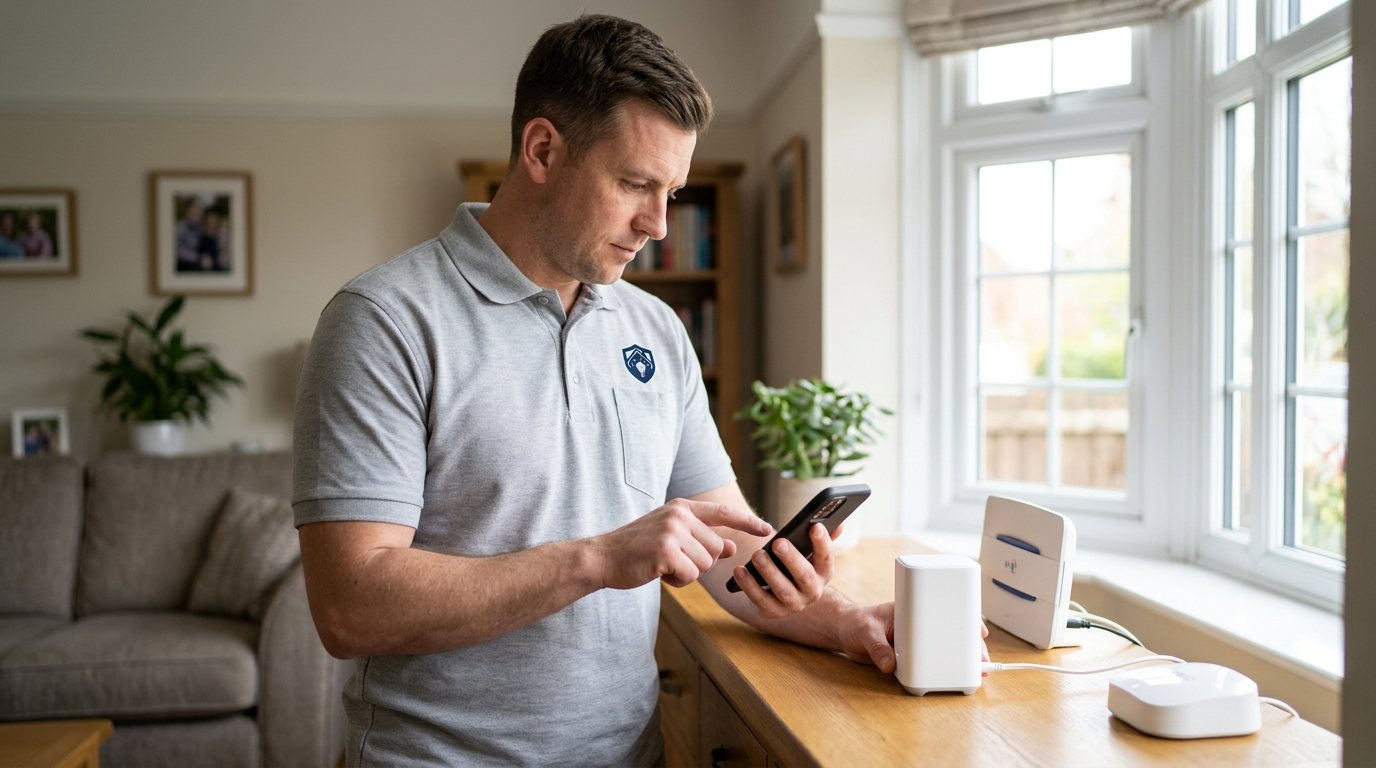
Device Not Syncing? We'll Get Your Security System Talking Again in Shirley
We diagnose why one device refuses to sync — pairing, batteries, range or hub health — and restore it.
Booking fee plus hourly labour — the price is confirmed before any work starts.
What this costs
| Booked 14+ days ahead | £25 booking fee £85 per hour |
|---|---|
| Booked within 48 hours | £100 booking fee £65 per hour |
| Same-day call-out | £220 booking fee £45 per hour |
The booking fee secures the visit. Labour is then charged by the hour, so you only pay for the time the job actually takes.
Booking fee £25–£220
£25 + £85/hr booked 14+ days ahead, £100 + £65/hr inside 48 hours, £220 + £45/hr same day. Agreed before we arrive.
Covered under Smart Security
Security & CCTV › Smart Security — one of 20 documented jobs in this section.
Same-day device not syncing with system
Urgent jobs can often be booked for today. Ask when you book and we will confirm the slot before you pay anything.
15 service areas
Birmingham, Coventry, Dorridge and 12 more across the West Midlands.
A device that will not sync is usually not a broken system; it is a broken relationship between one device and the hub. Pairing data can be corrupted by a power cut or a firmware update, the device's battery can be too weak to hold a stable connection, the device may have drifted out of reliable range, or the hub may have hit a limit on how many devices it can manage well. Occasionally the device itself has genuinely failed. The diagnosis is about telling those apart.
Common reasons a single device will not sync
Battery is first on the list, because a weak battery causes flaky sync behaviour long before the low-battery warning appears — if it appears at all. Range and interference are next: a sensor that used to pair reliably can fall out of range when furniture, new appliances or even a repositioned router change the wireless landscape. Corrupted pairing state comes after a hub reboot or update, and shows as a device the app can see but cannot control. And some hubs simply become unreliable once they are carrying more devices than they comfortably handle, which shows up as one or two devices perpetually out of step.
How we diagnose it
We start with the device itself: battery voltage, power supply, and whether it responds when triggered. Then we look at the hub's view — does the hub list the device, and does it receive status updates? We check signal at the device's actual position, and we review how many devices the hub is managing. If the fault looks like corrupted pairing, we re-pair the device properly rather than repeatedly toggling it, because half-paired devices are a common cause of exactly this symptom.
Repairs and honest outcomes
Many sync faults are fixed on the spot: a fresh battery, a proper re-pair, a small relocation, or a hub configuration change. If the device has genuinely failed, we will say so and quote a replacement separately, using manufacturer-approved parts where the system needs them. If the hub is at the edge of its capacity, we will explain the realistic options rather than promising that more tinkering will help.
What we will not do
We will not bypass authentication, strip security settings or force a device onto the system by weakening protections — a device that only works when security is loosened is worse than no device. We also cannot guarantee the manufacturer's cloud service or app platform, and if a sync fault turns out to live in their service, we will tell you plainly.
DIY boundaries
Checking and replacing batteries, and re-pairing a device when the manual explains the procedure, are reasonable DIY. Opening a device, resetting a hub to factory settings, or anything involving mains wiring is engineer territory — factory resets in particular can wipe the whole system's configuration, turning one awkward sensor into a full re-setup.
Booking the visit
Book through the website or by phone, and tell us the device type, the system make, how long it has been out of sync, and whether it ever appears in the app at all. If the app shows any error codes or messages, note them down — they often point straight at the cause and save time on the day.
Why a half-synced device is worse than it looks
A device that appears in the app but updates unreliably can lull you into a false sense of security: you believe you have coverage that, in practice, is intermittent. That is why we treat sync faults as a coverage question as much as a technical one. During the visit we will confirm the device actually reports events end to end — trigger it and watch the notification arrive — rather than accepting that a green tick in the app means it is working. If anything in the chain between the sensor and your phone is unreliable, you will know exactly where the weakness is and what fixing it involves before you approve any work.
How the price works
We charge a booking fee to hold your slot, then an hourly rate for the work itself. The fee changes with how soon you need us; the hourly rate changes with the slot you choose. You approve the price before we start, so there is no surprise on the invoice.
Booked 14+ days ahead
£25 booking fee
then £85 per hour of labour
Best value. Book the slot now, pay the smallest booking fee.
Booked within 48 hours
£100 booking fee
then £65 per hour of labour
For jobs that can wait a day or two but not a fortnight.
Same-day call-out
£220 booking fee
then £45 per hour of labour
Urgent problems: standing water, no heat, no power, leaks.
Book the slot
Choose the window that suits you and pay the booking fee. That holds your place in the diary.
We diagnose on site
The engineer confirms the cause and tells you what the job involves and how long it should take.
You approve, we work
Nothing goes ahead until you agree the price. Labour is then charged per hour at your slot rate.
One device refusing to sync is a peculiarly annoying fault: the rest of your security system works fine, but one sensor or camera sits stubbornly out of step, missing from the app, or showing stale information. Because everything else functions, it is tempting to ignore — but that one device may be a door sensor or a motion detector, and a gap in coverage is a gap. We diagnose the specific reason that device will not sync and put it right.
What our customers say about our Security & CCTV service
5 out of 5 from 7 reviews
Would use again
Third time we have used Maintenance Men, and the same experience each time: agreed price, proper explanation, job done in one visit. The hourly rate is fair for the standard of work.
Job: CCTV Installation
Second time we have used them
I had put off sorting this for months because I expected a runaround. Quoted the booking fee plus hourly rate upfront, stuck to it, and actually found the underlying cause rather than just clearing the symptom. Worked neatly and hoovered up afterwards.
Job: Backup Battery Fault
Exactly what was quoted
What I appreciated was being told what was actually wrong before anyone started. Sorted in under 56 minutes and the invoice matched the quote to the penny.
Job: Alarm Repair Service
Book Device Not Syncing with System
Tell us what is happening and choose a slot. If you are not sure this is the right job, use the diagnosis panel — it narrows the problem down before you book.
- Booking fee confirmed up front
- Hourly labour, agreed before work starts
- Same-day slots for urgent problems





Questions people ask about device not syncing with system
Straight answers to the things customers ask most often before booking.
Can I re-pair a device myself?
If the manufacturer's manual describes the pairing procedure and the device uses batteries, yes — it is a reasonable DIY step. But if pairing fails repeatedly, or the manual's steps do not work, the underlying cause is usually a hub, range or battery issue that needs proper diagnosis.
What do you check to find the cause?
We test the device's battery and power, check whether the hub still lists and communicates with it, measure signal at its position, and review the hub's overall load. If pairing state looks corrupted, we re-pair it cleanly rather than toggling it repeatedly.
Is a device that will not sync still providing security?
Often not reliably, and that is the risk. A sensor that is not syncing may not report a trigger when it matters, so treating it as coverage gap is the honest approach. That is why we prioritise getting it back into the system or flagging it for replacement.
My device syncs but updates hours late — is that the same fault?
It is related but different. Sluggish updates usually point to weak signal, a sleeping device or hub congestion rather than broken pairing. The diagnosis overlaps, so a single visit usually covers both symptoms, and the fix is often a placement or configuration change.
How much does fixing a sync problem cost?
You pay a booking fee when you book, and labour is charged hourly at a rate that depends on how soon you need the visit. The full cost of the work is quoted and approved by you before we start, with any parts quoted separately. That way there are no surprises on the day.
Need device not syncing with system sorted in Shirley?
Book a slot in the diary and pay only the booking fee up front. We confirm the rest before we start.