
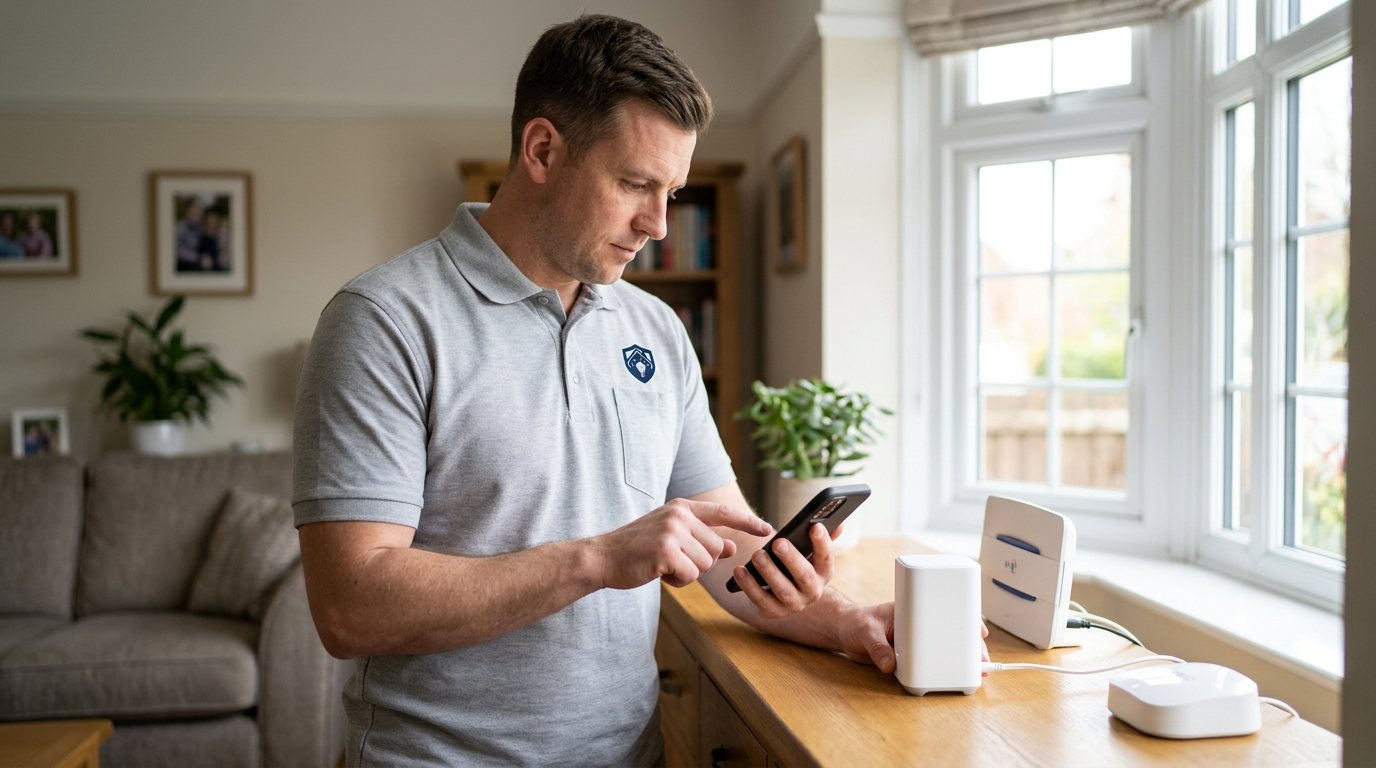
Smart Hub Overloaded? We’ll Restore a Reliable System in Leamington Spa
We assess device load, hub placement, wireless conditions and configuration to find why the hub is struggling.
Booking fee plus hourly labour — the price is confirmed before any work starts.
What this costs
| Booked 14+ days ahead | £25 booking fee £85 per hour |
|---|---|
| Booked within 48 hours | £100 booking fee £65 per hour |
| Same-day call-out | £220 booking fee £45 per hour |
The booking fee secures the visit. Labour is then charged by the hour, so you only pay for the time the job actually takes.
Booking fee £25–£220
£25 + £85/hr booked 14+ days ahead, £100 + £65/hr inside 48 hours, £220 + £45/hr same day. Agreed before we arrive.
Covered under Smart Security
Security & CCTV › Smart Security — one of 20 documented jobs in this section.
Same-day smart hub overloaded
Urgent jobs can often be booked for today. Ask when you book and we will confirm the slot before you pay anything.
15 service areas
Birmingham, Coventry, Dorridge and 12 more across the West Midlands.
A smart hub coordinates the devices in your security system: it receives sensor events, passes them to the app or cloud service, and often runs local routines. A hub that is overloaded can appear to have several unrelated faults at once — a camera takes too long to load, a door sensor drops offline, an automation misses its cue. The common thread may be the hub's workload, but congestion is only one possibility and must be distinguished from poor signal, a failing power supply or an external service delay.
How a hub gets overwhelmed
Hubs have practical limits on the number and type of devices they can handle, and camera streams place a different load from low-power door contacts. Adding devices gradually can push a hub beyond its comfortable capacity without an obvious warning. A large number of routines, stale pairings and repeated devices can also make management harder. Poor hub placement compounds the problem: if it is tucked inside a cabinet or close to a router, television or other radio equipment, communication retries consume time and resources. An unstable power adapter may create the same pattern by repeatedly restarting the hub.
Diagnosis before replacement
We review the system's device list and actual workload, note which functions have slowed or dropped, check the hub's power and firmware status, and measure wireless conditions around it. We also test whether individual devices have weak signal or low batteries, since a small group of struggling devices can look like a hub-wide problem. Where the app shows logs or status history, those clues help us distinguish local processing delays from a cloud service or broadband issue. We do not assume 'overloaded' means 'buy a new hub' until the evidence supports that.
What may resolve it
A sensible hub relocation can improve communication and reduce retries. Removing duplicate or obsolete device entries, repairing unreliable pairings, reviewing unnecessary routines and configuring the supported network bands can also help. If the hub has genuinely reached its practical capacity or hardware is failing, we will explain the replacement options and compatibility considerations, then quote equipment separately for your approval. We will not promise that a new hub works with every older device or third-party platform without checking first.
Security and service limits
We will not weaken authentication, encryption or other security features to reduce load or force devices to connect. Cloud and third-party platforms may add delays or outages that an on-site hub adjustment cannot fix, and we cannot guarantee their availability. If local devices respond correctly but remote app control remains slow, we will show you where the boundary lies rather than selling a local change that cannot solve an external issue.
Aftercare
After any change we test a selection of device types: a sensor event, a camera view and a routine if you use one. Keep a note of additions and changes to the system; adding many devices at once can make future diagnosis difficult. If problems return, the timing relative to a new camera, router change or update is useful evidence.
Booking
Book through the Maintenance Men website or by phone. Tell us the hub model, approximately how many devices are connected, what has started failing and whether you recently added equipment or changed the router. A screenshot of the app's device list or error messages can help us prepare.
Capacity and the right replacement path
If a hub really is at capacity, we look at the manufacturer's supported device limits and the types of traffic involved before discussing a change. A newer hub may offer more capacity, but it can also require re-pairing devices, rebuilding routines or migrating account settings. We will explain the transition and what can be retained; any larger rebuild is scoped and quoted after survey. This gives you a clear view of the work and avoids discovering mid-installation that an older camera or sensor cannot join the new platform.
How the price works
We charge a booking fee to hold your slot, then an hourly rate for the work itself. The fee changes with how soon you need us; the hourly rate changes with the slot you choose. You approve the price before we start, so there is no surprise on the invoice.
Booked 14+ days ahead
£25 booking fee
then £85 per hour of labour
Best value. Book the slot now, pay the smallest booking fee.
Booked within 48 hours
£100 booking fee
then £65 per hour of labour
For jobs that can wait a day or two but not a fortnight.
Same-day call-out
£220 booking fee
then £45 per hour of labour
Urgent problems: standing water, no heat, no power, leaks.
Book the slot
Choose the window that suits you and pay the booking fee. That holds your place in the diary.
We diagnose on site
The engineer confirms the cause and tells you what the job involves and how long it should take.
You approve, we work
Nothing goes ahead until you agree the price. Labour is then charged per hour at your slot rate.
When your smart hub starts dropping devices, lagging behind alerts or refusing new additions, it may be carrying more than it can reliably manage. A hub is the organiser for your whole system, and when it struggles the symptoms can appear anywhere — slow responses, offline sensors or routines that stop working. We check what is actually happening before recommending a replacement, because sometimes a configuration or placement change is enough.
What our customers say about our Security & CCTV service
5 out of 5 from 7 reviews
Would use again
Third time we have used Maintenance Men, and the same experience each time: agreed price, proper explanation, job done in one visit. The hourly rate is fair for the standard of work.
Job: CCTV Installation
Second time we have used them
I had put off sorting this for months because I expected a runaround. Quoted the booking fee plus hourly rate upfront, stuck to it, and actually found the underlying cause rather than just clearing the symptom. Worked neatly and hoovered up afterwards.
Job: Backup Battery Fault
Exactly what was quoted
What I appreciated was being told what was actually wrong before anyone started. Sorted in under 56 minutes and the invoice matched the quote to the penny.
Job: Alarm Repair Service
Book Smart Hub Overloaded
Tell us what is happening and choose a slot. If you are not sure this is the right job, use the diagnosis panel — it narrows the problem down before you book.
- Booking fee confirmed up front
- Hourly labour, agreed before work starts
- Same-day slots for urgent problems



Questions people ask about smart hub overloaded
Straight answers to the things customers ask most often before booking.
Can I fix an overloaded smart hub myself?
You can check that it has good ventilation, use its specified power supply, remove devices you no longer use through the manual’s procedure and restart it as instructed. Avoid a factory reset unless you have a clear backup and know how to rebuild everything, as it can erase the whole system.
What do you assess during the visit?
We check the hub’s power, placement, firmware and device load, then test signal and batteries for the devices that are dropping out. We also compare local response with app or cloud response to see whether the hub is truly the bottleneck.
Does an overloaded hub mean my system is unsafe?
Not necessarily, but dropped or delayed devices can leave coverage gaps, so the symptoms should be addressed. We will explain which functions are affected and will not disable security protections to make the hub appear to cope.
Will I need to replace the hub?
Not always. Better placement, cleaning up stale entries or resolving a weak device link may be enough. If the hub has reached its practical capacity or is failing, we will explain why and check compatibility before quoting a replacement.
How much does hub diagnosis cost?
You pay a booking fee when you book, and labour is charged hourly at a rate that depends on how soon you need the visit. The full cost of the work is quoted and approved by you before we start, with any parts quoted separately.
Need smart hub overloaded sorted in Leamington Spa?
Book a slot in the diary and pay only the booking fee up front. We confirm the rest before we start.