
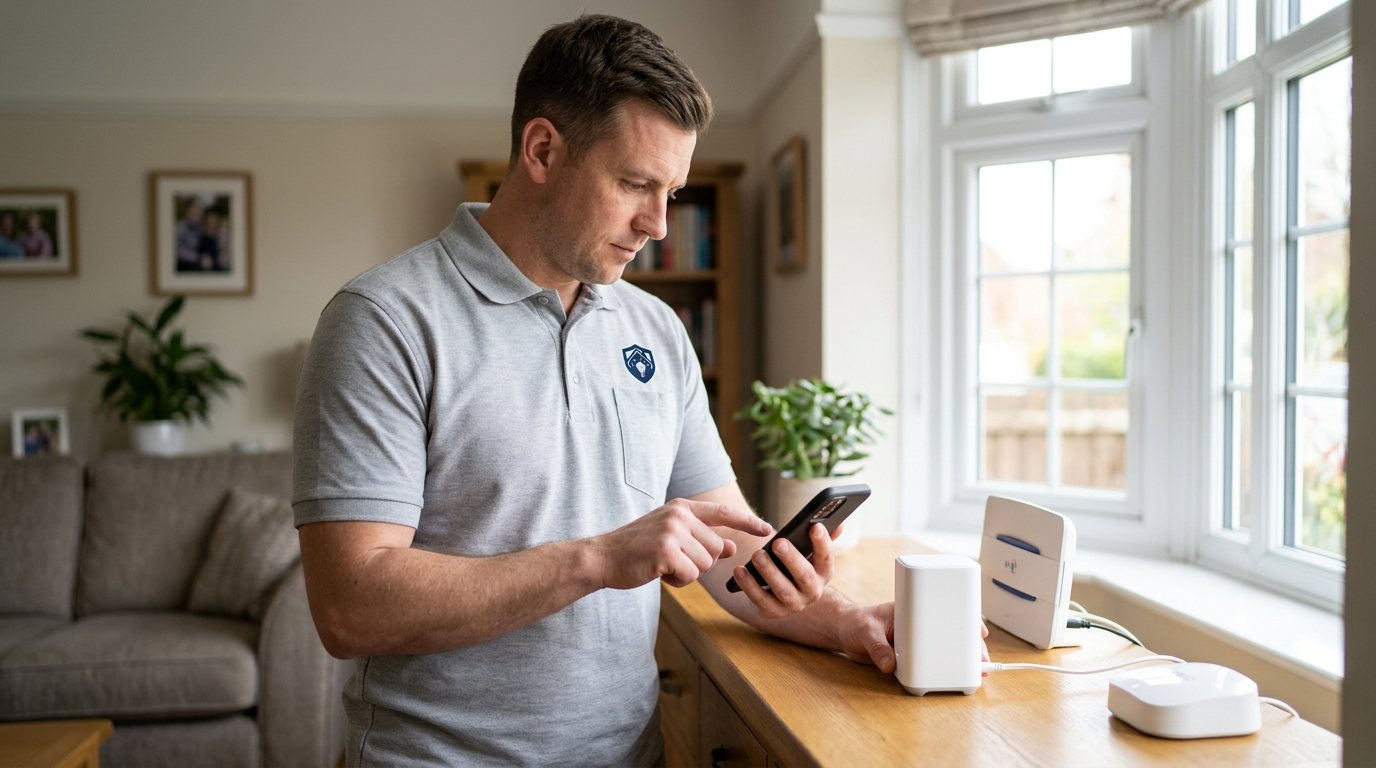
Camera Won't Link to Your Smart Hub? We'll Close the Gap in West Bromwich
We diagnose why a camera refuses to join your hub — pairing, power, signal or settings — and restore your view.
Booking fee plus hourly labour — the price is confirmed before any work starts.
What this costs
| Booked 14+ days ahead | £25 booking fee £85 per hour |
|---|---|
| Booked within 48 hours | £100 booking fee £65 per hour |
| Same-day call-out | £220 booking fee £45 per hour |
The booking fee secures the visit. Labour is then charged by the hour, so you only pay for the time the job actually takes.
Booking fee £25–£220
£25 + £85/hr booked 14+ days ahead, £100 + £65/hr inside 48 hours, £220 + £45/hr same day. Agreed before we arrive.
Covered under Smart Security
Security & CCTV › Smart Security — one of 20 documented jobs in this section.
Same-day camera not linking to smart hub
Urgent jobs can often be booked for today. Ask when you book and we will confirm the slot before you pay anything.
15 service areas
Birmingham, Coventry, Dorridge and 12 more across the West Midlands.
Cameras are the most demanding devices on a smart security system. They carry more data than a door sensor ever will, they need steadier power, and they are more sensitive to weak WiFi. So when a camera will not link to the hub while sensors connect happily, it is often telling you something real about its position, its power or its connection — and the diagnosis should respect that rather than treating it like any other device.
Why cameras fail to link
Pairing state corruption is common after power cuts or hub firmware updates: the camera and the hub each half-remember the other, and neither will commit. Power is the second frequent cause — a camera on an underpowered plug or a worn USB cable can boot but never sustain the connection a link requires. Signal comes third: cameras mounted at front doors, garages and garden walls are routinely at the edge of WiFi range, and a camera that pairs indoors but fails at its mounting point is a classic placement problem. Finally, some hubs have practical limits on camera numbers or bandwidth, and a hub at capacity will quietly refuse new or existing camera links.
How we diagnose it
We test the camera on its own first: does it power up cleanly, does it broadcast as expected, can it pair when brought close to the hub? Then we test it in position: signal strength at the mounting point, stability over a sustained period, and how the hub is coping overall. That split — device versus location — is the fastest route to an honest answer, because a camera that pairs fine indoors but fails at the door does not need a new camera; it needs a better connection at the door.
What we can fix on the day
Practical fixes include a clean re-pair, a proper power supply replacement where the cable or adapter is the weak point, relocating the camera or hub a short distance to improve signal, and hub configuration changes to give cameras the bandwidth they need. Where a genuine coverage gap needs additional equipment — a network node or a purpose-built power solution — we will explain the options and quote the parts separately for your approval.
Honest limits and security
We cannot guarantee the manufacturer's cloud service or app platform, and remote viewing often depends on both, so if the local link is healthy but remote viewing is not, we will say where the fault sits. We also will not bypass authentication or lower encryption to force a camera onto a hub — a camera that only connects when security is weakened is a liability, not a feature.
Aftercare
Once linked, watch the camera for a week. A connection that holds during the day but drops overnight may point to router behaviour or interference patterns rather than the camera itself. Keeping firmware current on both camera and hub, and using the power supply the manufacturer specifies, prevent the two most common recurrences.
Booking
Book through the Maintenance Men website or by phone. Tell us the camera and hub makes, whether the camera is new or was previously working, and whether it appears in the app at all. A note of any error message the app shows will often shorten the diagnosis considerably.
Why a half-linked camera is worse than it looks
A camera that appears in your app but connects intermittently gives you coverage you cannot rely on: it records some of the time, misses other times, and you never know which until you need the footage. That is why we treat linking faults as a genuine security issue rather than an inconvenience. During the visit we do not stop at 'it connected once' — we watch the connection hold over a sustained period and, where possible, confirm footage is actually being captured and stored the way you expect.
How the price works
We charge a booking fee to hold your slot, then an hourly rate for the work itself. The fee changes with how soon you need us; the hourly rate changes with the slot you choose. You approve the price before we start, so there is no surprise on the invoice.
Booked 14+ days ahead
£25 booking fee
then £85 per hour of labour
Best value. Book the slot now, pay the smallest booking fee.
Booked within 48 hours
£100 booking fee
then £65 per hour of labour
For jobs that can wait a day or two but not a fortnight.
Same-day call-out
£220 booking fee
then £45 per hour of labour
Urgent problems: standing water, no heat, no power, leaks.
Book the slot
Choose the window that suits you and pay the booking fee. That holds your place in the diary.
We diagnose on site
The engineer confirms the cause and tells you what the job involves and how long it should take.
You approve, we work
Nothing goes ahead until you agree the price. Labour is then charged per hour at your slot rate.
A camera that will not link to your smart hub is a hole in your security coverage you can literally see in the app: an empty tile where a live view should be. Whether it is a new camera that never paired or an old one that dropped off after a power cut, the cause is usually specific and findable. We work through pairing state, power supply, wireless signal and hub capacity until the camera is reliably back in your system.
What our customers say about our Security & CCTV service
5 out of 5 from 7 reviews
Would use again
Third time we have used Maintenance Men, and the same experience each time: agreed price, proper explanation, job done in one visit. The hourly rate is fair for the standard of work.
Job: CCTV Installation
Second time we have used them
I had put off sorting this for months because I expected a runaround. Quoted the booking fee plus hourly rate upfront, stuck to it, and actually found the underlying cause rather than just clearing the symptom. Worked neatly and hoovered up afterwards.
Job: Backup Battery Fault
Exactly what was quoted
What I appreciated was being told what was actually wrong before anyone started. Sorted in under 56 minutes and the invoice matched the quote to the penny.
Job: Alarm Repair Service
Book Camera Not Linking to Smart Hub
Tell us what is happening and choose a slot. If you are not sure this is the right job, use the diagnosis panel — it narrows the problem down before you book.
- Booking fee confirmed up front
- Hourly labour, agreed before work starts
- Same-day slots for urgent problems



Questions people ask about camera not linking to smart hub
Straight answers to the things customers ask most often before booking.
Can I pair a camera to the hub myself?
If the camera is battery or plug-powered and the manual describes the procedure, yes — pairing close to the hub is a reasonable DIY step. But a camera that pairs and then drops off, or will not pair at all despite following the steps, usually has a power, signal or hub-capacity cause behind it.
What do you check on the visit?
We test the camera's power supply and boot behaviour, try pairing near the hub, then measure signal at its actual mounting position and check how the hub is handling its overall load. That separates a faulty camera from a placement problem quickly.
Is a camera that drops off still recording?
Not reliably, and that is the risk worth taking seriously. A camera that links intermittently may miss exactly the moments you installed it for. We treat an unstable link as a coverage gap and either fix the cause or flag the camera honestly.
My camera pairs near the hub but fails at the front door — what does that mean?
That pattern almost always points to signal strength at the mounting position rather than a faulty camera. The fix is usually a placement adjustment, hub relocation or a network improvement at that spot, which is a very different answer from buying a replacement.
How is the work charged?
You pay a booking fee when you book, and labour is charged hourly at a rate that depends on how soon you need the visit. The full cost of the work is quoted and approved by you before we start, with any parts quoted separately.
Need camera not linking to smart hub sorted in West Bromwich?
Book a slot in the diary and pay only the booking fee up front. We confirm the rest before we start.