
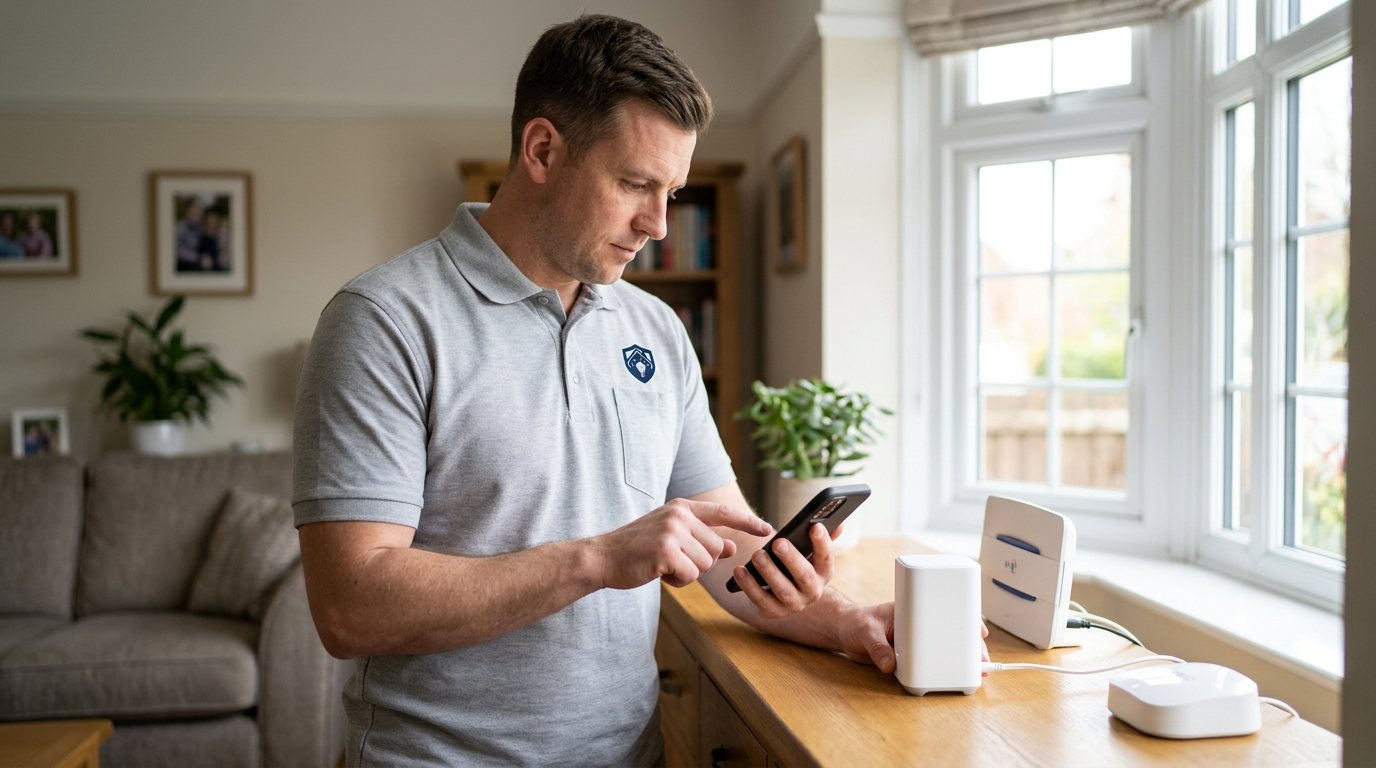
Smart Security App Not Working? We'll Get You Back in Control in Warwick
When your security app stops responding, we diagnose the app, the network and the devices so you can control your system again.
Booking fee plus hourly labour — the price is confirmed before any work starts.
What this costs
| Booked 14+ days ahead | £25 booking fee £85 per hour |
|---|---|
| Booked within 48 hours | £100 booking fee £65 per hour |
| Same-day call-out | £220 booking fee £45 per hour |
The booking fee secures the visit. Labour is then charged by the hour, so you only pay for the time the job actually takes.
Booking fee £25–£220
£25 + £85/hr booked 14+ days ahead, £100 + £65/hr inside 48 hours, £220 + £45/hr same day. Agreed before we arrive.
Covered under Smart Security
Security & CCTV › Smart Security — one of 20 documented jobs in this section.
Same-day smart security app not working
Urgent jobs can often be booked for today. Ask when you book and we will confirm the slot before you pay anything.
15 service areas
Birmingham, Coventry, Dorridge and 12 more across the West Midlands.
A smart security app is really just a remote control that talks to your devices over your home network, and often through the manufacturer's cloud service. When it stops working, the cause can sit anywhere along that chain: the phone, the WiFi, the hub, the device itself, or an account issue on the app side. Because any one of those can be the culprit, the sensible approach is to work through the chain in order rather than repeatedly reinstalling the app and hoping.
What usually causes an app to stop working
The most common causes are surprisingly ordinary. A phone that has switched to mobile data instead of WiFi, a router that has handed out a new address to the hub after a power cut, a hub that has dropped off the network entirely, or a password change that no longer matches what the devices expect. App updates can occasionally change how the app signs in, and phone operating system updates can quietly revoke permissions the app needs — location, local network access or notifications. None of these mean your security system is broken; they mean a link in the chain needs attention.
How we diagnose it
We start by confirming what does and does not work: can you reach the system from another phone or tablet, do the devices respond locally, and are notifications arriving? From there we check the app's permissions on your phone, the strength and stability of the WiFi signal where the hub sits, and whether the hub is properly connected to the router. If the hub is online but devices are not syncing, we look at device batteries, range and placement. If the problem only appears away from home, that points to the connection between the app and the manufacturer's cloud service, which is a different diagnosis again.
What we can and cannot promise
We will always be straight with you. We diagnose and fix the practical, on-site causes — network settings, hub placement, device configuration, app permissions and account setup. We cannot guarantee the availability of a manufacturer's cloud service, a third-party platform or your internet provider's connection, because those sit outside our control. If the fault turns out to be with the manufacturer's service or a subscription that has lapsed, we will say so plainly rather than billing you to chase something we cannot influence.
Security matters while the app is down
Please do not weaken your security settings to make an app behave — turning off authentication, disabling alerts or removing passcodes to "simplify" things creates a real risk that outlasts the fault. If the app is unusable, the sensible step is to confirm your sensors and cameras are still powered and recording as designed, and treat the app as the thing under repair. We will never suggest weakening security as a shortcut to a fix.
After the fix
Once the app is talking to the system again, we will walk you through what changed and why, so a recurrence is easier to spot. Simple habits help: keeping the app updated, rebooting the hub after long power cuts, and not letting the hub's power supply get knocked loose. We will also note anything that suggests a failing device — a sensor that keeps dropping out, for instance — so you can decide about replacement before it becomes an outage.
When to call us
If the app has been dead for more than a day, if only part of the system responds, or if you have already reinstalled the app without success, a proper diagnosis will save you hours of trial and error. Book through the Maintenance Men website or by phone, and mention your system's make or app name, roughly when the problem started, and whether it fails at home, away from home, or both. That information lets us arrive prepared rather than starting from scratch.
How the price works
We charge a booking fee to hold your slot, then an hourly rate for the work itself. The fee changes with how soon you need us; the hourly rate changes with the slot you choose. You approve the price before we start, so there is no surprise on the invoice.
Booked 14+ days ahead
£25 booking fee
then £85 per hour of labour
Best value. Book the slot now, pay the smallest booking fee.
Booked within 48 hours
£100 booking fee
then £65 per hour of labour
For jobs that can wait a day or two but not a fortnight.
Same-day call-out
£220 booking fee
then £45 per hour of labour
Urgent problems: standing water, no heat, no power, leaks.
Book the slot
Choose the window that suits you and pay the booking fee. That holds your place in the diary.
We diagnose on site
The engineer confirms the cause and tells you what the job involves and how long it should take.
You approve, we work
Nothing goes ahead until you agree the price. Labour is then charged per hour at your slot rate.
There is nothing more frustrating than tapping an app that has stopped talking to the very security system it is meant to control. It is worrying too, because the app is usually your window into cameras, alarms and door sensors. Our visit looks at the whole chain — your phone, your router, your hub and each device — and we diagnose the practical cause rather than guessing. Most app problems have a simple, findable reason, and we will tell you honestly what we find.
What our customers say about our Security & CCTV service
5 out of 5 from 7 reviews
Would use again
Third time we have used Maintenance Men, and the same experience each time: agreed price, proper explanation, job done in one visit. The hourly rate is fair for the standard of work.
Job: CCTV Installation
Second time we have used them
I had put off sorting this for months because I expected a runaround. Quoted the booking fee plus hourly rate upfront, stuck to it, and actually found the underlying cause rather than just clearing the symptom. Worked neatly and hoovered up afterwards.
Job: Backup Battery Fault
Exactly what was quoted
What I appreciated was being told what was actually wrong before anyone started. Sorted in under 56 minutes and the invoice matched the quote to the penny.
Job: Alarm Repair Service
Book Smart Security App Not Working
Tell us what is happening and choose a slot. If you are not sure this is the right job, use the diagnosis panel — it narrows the problem down before you book.
- Booking fee confirmed up front
- Hourly labour, agreed before work starts
- Same-day slots for urgent problems



Questions people ask about smart security app not working
Straight answers to the things customers ask most often before booking.
Can I fix a security app problem myself?
Sometimes, yes. Checking that your phone is on WiFi, force-closing and reopening the app, and rebooting your router and hub are all reasonable first steps. If those do not sort it, the cause is usually deeper in the network or account settings, and that is where we come in.
What do you actually check during a visit?
We check the app's permissions and sign-in on your phone, the hub's connection to your router, WiFi strength and stability at the hub's location, device batteries and range, and whether the fault happens at home, remotely or both. We work through that chain until we find the link that has failed.
Is it a security risk to keep using the system while the app is faulty?
The sensors and cameras usually carry on working locally even when the app does not, but you lose visibility and alerts, which matters. We would not advise disabling alerts, authentication or other security features to work around the problem. Treat the app as under repair, not the system as unreliable.
My app only fails when I am away from home — is that the same problem?
Not necessarily. A fault that only appears remotely usually points to the connection between the app and the manufacturer's cloud service, or to your broadband connection at home rather than your local WiFi. We diagnose that specifically, because the fix can be completely different from a local network issue.
How much will the visit cost?
You pay a booking fee when you book, and labour is charged hourly at a rate that depends on how soon you need the visit. The full cost of the work is quoted and approved by you before we start, with any parts quoted separately. That way there are no surprises on the day.
Need smart security app not working sorted in Warwick?
Book a slot in the diary and pay only the booking fee up front. We confirm the rest before we start.