
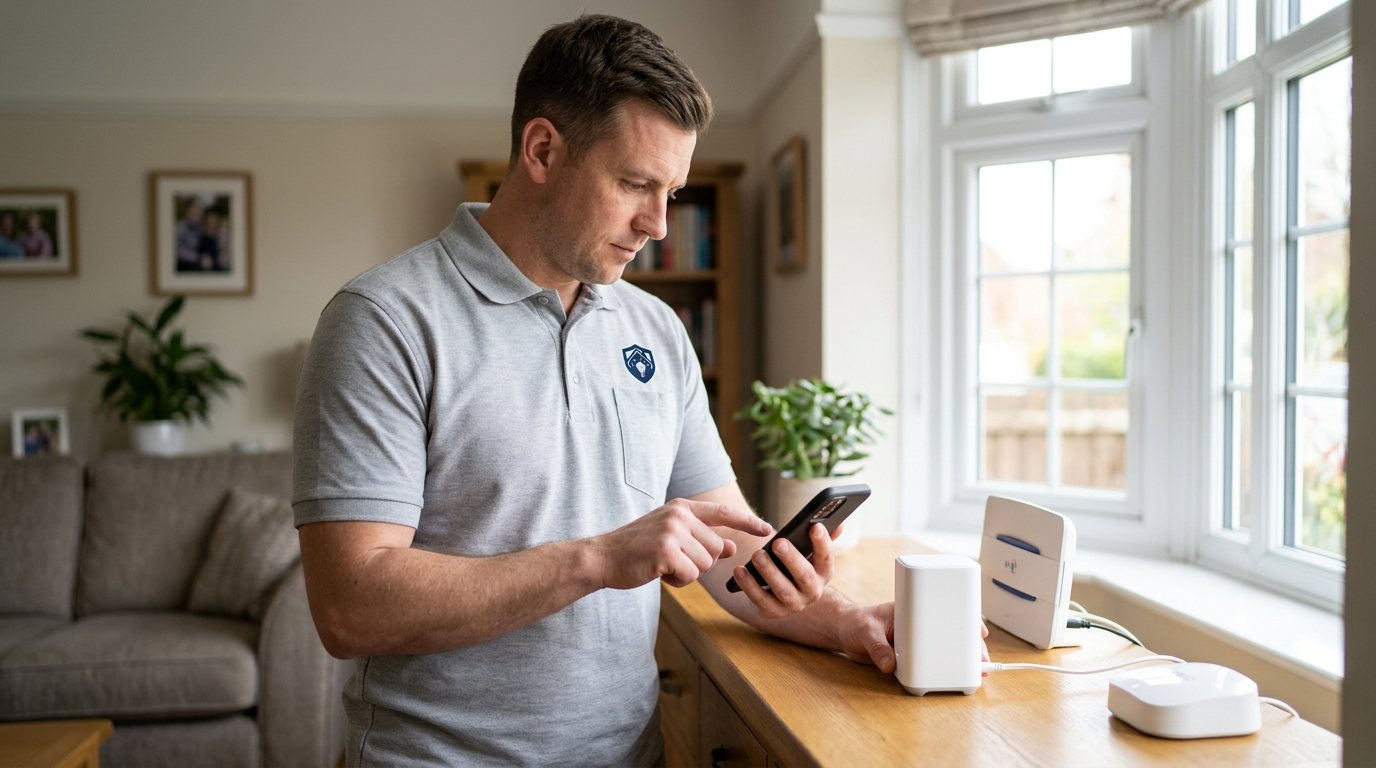
Smart Security Maintenance Keeps Small Faults from Growing in Smethwick
We inspect batteries, connections, signal, alerts and device condition, then report what needs attention.
Booking fee plus hourly labour — the price is confirmed before any work starts.
What this costs
| Booked 14+ days ahead | £25 booking fee £85 per hour |
|---|---|
| Booked within 48 hours | £100 booking fee £65 per hour |
| Same-day call-out | £220 booking fee £45 per hour |
The booking fee secures the visit. Labour is then charged by the hour, so you only pay for the time the job actually takes.
Booking fee £25–£220
£25 + £85/hr booked 14+ days ahead, £100 + £65/hr inside 48 hours, £220 + £45/hr same day. Agreed before we arrive.
Covered under Smart Security
Security & CCTV › Smart Security — one of 20 documented jobs in this section.
Same-day smart security maintenance
Urgent jobs can often be booked for today. Ask when you book and we will confirm the slot before you pay anything.
15 service areas
Birmingham, Coventry, Dorridge and 12 more across the West Midlands.
A smart security system is not fit-and-forget. Batteries age, WiFi conditions change, apps update, and a camera that was well positioned before the garden grew in may now see branches rather than the entrance. Maintenance does not guarantee a system will never fail, but it gives you a regular opportunity to spot wear, test whether alerts still arrive and correct small configuration problems before they become a surprise outage.
What we inspect
We review the hub's power, placement and status, check that devices remain paired and reporting, and look for low or weak batteries. We inspect visible mounts and cables for looseness, damage or weather exposure, and check camera views and detection zones for changes in the surroundings. We also verify notification permissions and account access with you, review routines that are part of your setup, and test representative events end to end. Where devices are mains-connected, wiring checks and changes are engineer work; battery items can often be replaced safely according to the manufacturer's instructions.
Practical diagnosis, not a generic checklist
Different systems age differently, so maintenance should match your equipment and its environment. An outdoor camera may need a different focus from indoor door sensors; a battery hub in a cupboard may suffer heat while a sensor in an unheated porch suffers cold. We ask what has changed since installation — new router, renovations, a pet, a different phone — because environmental changes can affect performance even when no device has failed. We report what we actually find instead of recommending replacements simply because equipment is old.
Repairs and recommendations
If we find a fault, we explain the diagnosis and quote the work before starting. Batteries, replacement brackets, cables or devices are quoted separately as needed, and we use manufacturer-approved parts where the system requires them. Some issues may sit with a cloud provider, app platform or broadband connection; we can distinguish those from local equipment faults but cannot guarantee outside service availability. Larger changes or a new system are quoted after a survey, not improvised during a maintenance visit.
Safety, privacy and security
We do not claim that alarms prevent burglary; they deter, detect and record. If cameras are part of the system, you remain responsible for their lawful and considerate use, privacy of neighbours and appropriate handling of recordings. We do not provide legal advice or monitoring contracts, and we will not weaken security settings to resolve an app problem. If an alarm has false activations, do not repeatedly silence or disable it — the cause needs diagnosing.
A useful maintenance rhythm
Test notifications and a selection of sensors monthly yourself, and arrange a fuller review when you notice repeated dropouts, false alerts, sluggish response or battery drain. After a router or phone change, check access and alerts promptly. Keep a simple note of battery replacement dates and any recurring messages in the app; that history helps diagnose patterns efficiently.
Booking
Book through the Maintenance Men website or by phone. Tell us the system make, what devices are included, when it was last checked and any symptoms you have noticed. If you have manuals or an equipment list, keep them available so we can make the visit specific to your setup.
A written record helps
At the end of the visit, ask for a brief note of batteries changed, devices tested, faults found and any follow-up work quoted. That record is useful when a sensor later drops out, because it shows whether the fault is new or recurring. Keep it alongside the equipment manuals and note any changes to your router or phone. Maintenance is most useful when each check builds on what happened before, rather than starting with a blank page every time.
How the price works
We charge a booking fee to hold your slot, then an hourly rate for the work itself. The fee changes with how soon you need us; the hourly rate changes with the slot you choose. You approve the price before we start, so there is no surprise on the invoice.
Booked 14+ days ahead
£25 booking fee
then £85 per hour of labour
Best value. Book the slot now, pay the smallest booking fee.
Booked within 48 hours
£100 booking fee
then £65 per hour of labour
For jobs that can wait a day or two but not a fortnight.
Same-day call-out
£220 booking fee
then £45 per hour of labour
Urgent problems: standing water, no heat, no power, leaks.
Book the slot
Choose the window that suits you and pay the booking fee. That holds your place in the diary.
We diagnose on site
The engineer confirms the cause and tells you what the job involves and how long it should take.
You approve, we work
Nothing goes ahead until you agree the price. Labour is then charged per hour at your slot rate.
Smart security is easy to forget when it is working — until a sensor goes offline or the app stops alerting. Routine maintenance is a chance to find low batteries, weak links, loose fittings and outdated configuration while the system is still mostly doing its job. We check the equipment you have, test key functions and give you a clear picture of what is sound, what needs attention and what can reasonably wait.
What our customers say about our Security & CCTV service
5 out of 5 from 7 reviews
Would use again
Third time we have used Maintenance Men, and the same experience each time: agreed price, proper explanation, job done in one visit. The hourly rate is fair for the standard of work.
Job: CCTV Installation
Second time we have used them
I had put off sorting this for months because I expected a runaround. Quoted the booking fee plus hourly rate upfront, stuck to it, and actually found the underlying cause rather than just clearing the symptom. Worked neatly and hoovered up afterwards.
Job: Backup Battery Fault
Exactly what was quoted
What I appreciated was being told what was actually wrong before anyone started. Sorted in under 56 minutes and the invoice matched the quote to the penny.
Job: Alarm Repair Service
Book Smart Security Maintenance
Tell us what is happening and choose a slot. If you are not sure this is the right job, use the diagnosis panel — it narrows the problem down before you book.
- Booking fee confirmed up front
- Hourly labour, agreed before work starts
- Same-day slots for urgent problems




Questions people ask about smart security maintenance
Straight answers to the things customers ask most often before booking.
Can I maintain my smart security system myself?
Monthly alert tests, replacing user-serviceable batteries and checking that devices still appear online are sensible owner tasks. Mains wiring, sealed devices, persistent faults and any work involving internal electronics should be left to an engineer.
What is included in a maintenance visit?
We review hub status and placement, device pairing and reporting, batteries, visible mounts and cabling, camera views, app notifications, access and relevant routines. We test key functions and explain any faults or recommended work before quoting repairs.
Will maintenance guarantee my alarm never fails?
No system can be guaranteed never to fail, and we do not make that promise. Maintenance can identify wear and configuration issues, but batteries, networks, cloud services and devices can still fail between visits.
How often should smart security be checked?
Test a sensor and notification monthly yourself, and arrange a fuller review if dropouts, false alerts, slow response or repeated battery drain appear. After a router or phone change, check the app and alerts again because those changes can affect the setup.
What does a maintenance visit cost?
You pay a booking fee when you book, and labour is charged hourly at a rate that depends on how soon you need the visit. The full cost of the work is quoted and approved by you before we start, with any parts quoted separately.
Need smart security maintenance sorted in Smethwick?
Book a slot in the diary and pay only the booking fee up front. We confirm the rest before we start.