
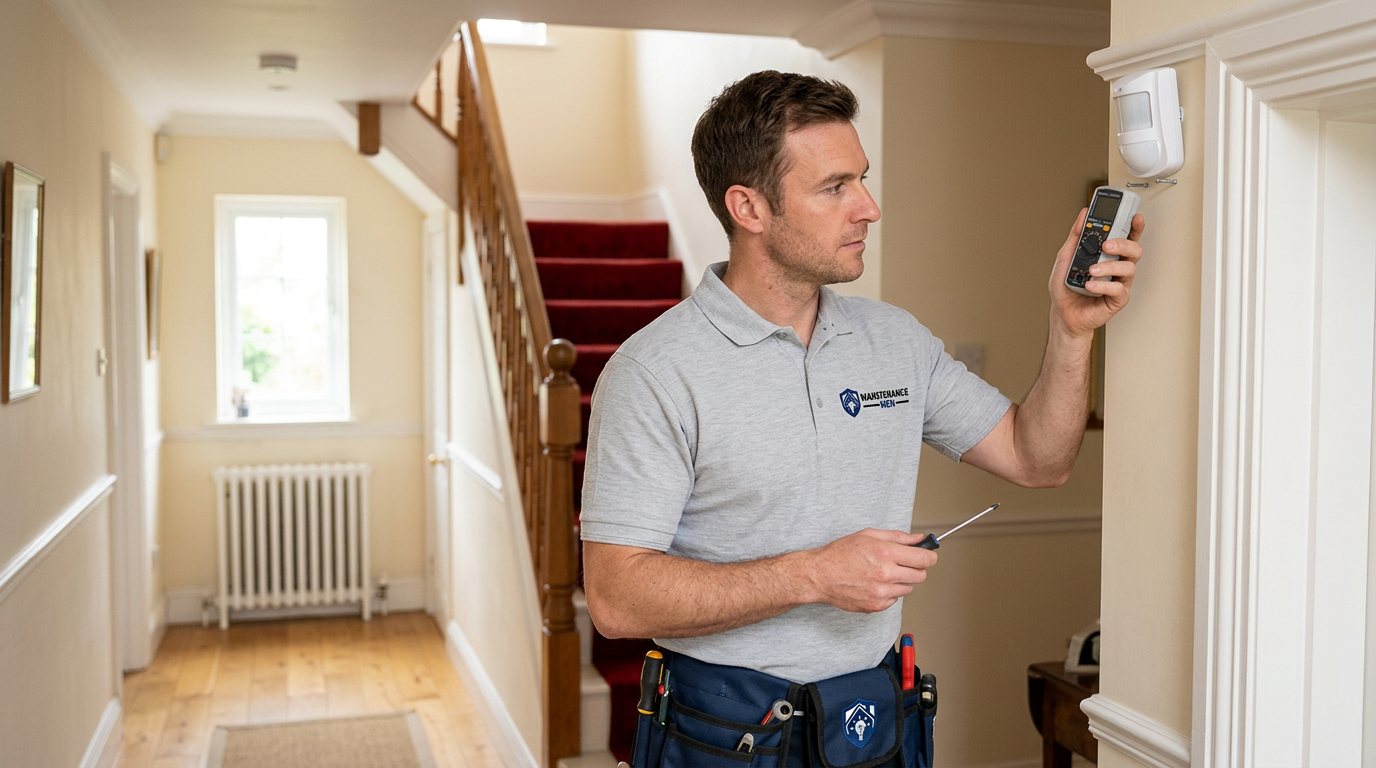
Alarm Sensors Interfering? We'll Untangle the Signal Chaos in Shirley
We diagnose sensor-to-sensor and source interference — radio clashes, placement, wiring crosstalk and equipment faults — and restore clean, reliable detection.
Booking fee plus hourly labour — the price is confirmed before any work starts.
What this costs
| Booked 14+ days ahead | £25 booking fee £85 per hour |
|---|---|
| Booked within 48 hours | £100 booking fee £65 per hour |
| Same-day call-out | £220 booking fee £45 per hour |
The booking fee secures the visit. Labour is then charged by the hour, so you only pay for the time the job actually takes.
Booking fee £25–£220
£25 + £85/hr booked 14+ days ahead, £100 + £65/hr inside 48 hours, £220 + £45/hr same day. Agreed before we arrive.
Covered under Sensors & Detectors
Security & CCTV › Sensors & Detectors — one of 22 documented jobs in this section.
Same-day alarm sensor interference
Urgent jobs can often be booked for today. Ask when you book and we will confirm the slot before you pay anything.
15 service areas
Birmingham, Coventry, Dorridge and 12 more across the West Midlands.
Interference is the confusing end of the sensor world: rather than a clean dead sensor, you get strange behaviour. Two zones report at the same moment. The alarm sounds with nobody near anything. A sensor works perfectly until another device is used nearby, then drops out or doubles up. Zones interfere with each other's radio signals and the panel logs errors. These patterns point to a different set of causes than a simple flat battery, and they need a different diagnostic approach — because the fault often lies not in the sensor that misbehaves but in what is happening around it.
What causes sensor interference
On wireless systems, the most common forms are radio competition and poor siting. Many alarm devices share radio bands with household WiFi, and a hub or receiver placed right next to a router, or sensors mounted on or near large metal surfaces, can suffer degraded or corrupted signals. Devices that transmit at the same moment can collide; a hub halfway across the house behind several walls hears everything weakly, and weak signals get misread. Neighbouring wireless devices — video senders, older doorbells, other radio equipment — occasionally add to the noise. On wired systems, interference takes other forms: shared or damaged cabling can crosstalk between zones, poor earthing or a failing power supply can inject noise into sensor circuits, and moisture in cable runs causes phantom triggers that come and go with the weather. A failing sensor can also cause apparent interference — a flaky reed switch or PIR producing repeated false signals that look like a system-wide problem. And a low battery on one wireless sensor can corrupt enough transmissions to upset a whole system's error log.
How we diagnose it
We start from the panel's event log, which usually shows exactly which zones and what times are involved — the pattern tells us whether this is radio, wiring or a single failing device. We check the placement of the hub or receiver relative to routers and metal, test signal strength at the affected sensors, and look for sources of radio or electrical noise near them. On wired systems we test the zone cabling, separate shared runs where appropriate, and check the system's power supply quality. Where a single sensor proves to be the source of false signals, we identify it rather than treating the whole system. Each step is explained as we go, so you can see why we have concluded what we have.
Fixes and honest limits
The fixes depend on the cause and are usually practical: re-siting a hub or receiver away from a router, repositioning or re-mounting sensors off metal surfaces, re-pairing devices properly, replacing a failing sensor, or separating and repairing cabling on wired runs. Power supply issues are repaired at the panel. What we cannot promise is immunity from every future source of interference — homes fill up with new wireless devices all the time, and no installation is guaranteed against all of them. What we can do is identify today's source, correct it properly, and leave your system reporting cleanly, verified with tests before we finish. Any parts are quoted separately, and the full cost is approved before work begins.
Booking an interference diagnosis
Call or use the website and describe the behaviour: which zones misbehave together, whether anything in the house coincides with the faults, and whether your alarm is wired or wireless. You pay a booking fee when you book, labour is charged hourly at a rate that depends on how soon you need the visit, and the full cost is quoted and approved before work starts, with parts quoted separately.
How the price works
We charge a booking fee to hold your slot, then an hourly rate for the work itself. The fee changes with how soon you need us; the hourly rate changes with the slot you choose. You approve the price before we start, so there is no surprise on the invoice.
Booked 14+ days ahead
£25 booking fee
then £85 per hour of labour
Best value. Book the slot now, pay the smallest booking fee.
Booked within 48 hours
£100 booking fee
then £65 per hour of labour
For jobs that can wait a day or two but not a fortnight.
Same-day call-out
£220 booking fee
then £45 per hour of labour
Urgent problems: standing water, no heat, no power, leaks.
Book the slot
Choose the window that suits you and pay the booking fee. That holds your place in the diary.
We diagnose on site
The engineer confirms the cause and tells you what the job involves and how long it should take.
You approve, we work
Nothing goes ahead until you agree the price. Labour is then charged per hour at your slot rate.
When sensors behave as if they can hear each other — zones triggering together, phantom alarms, or signals dropping when two devices talk at once — the fault is usually interference, and it has a source. Guessing at it wastes time and batteries. We trace it properly and put it right with your approval.
What our customers say about our Security & CCTV service
5 out of 5 from 7 reviews
Would use again
Third time we have used Maintenance Men, and the same experience each time: agreed price, proper explanation, job done in one visit. The hourly rate is fair for the standard of work.
Job: CCTV Installation
Second time we have used them
I had put off sorting this for months because I expected a runaround. Quoted the booking fee plus hourly rate upfront, stuck to it, and actually found the underlying cause rather than just clearing the symptom. Worked neatly and hoovered up afterwards.
Job: Backup Battery Fault
Exactly what was quoted
What I appreciated was being told what was actually wrong before anyone started. Sorted in under 56 minutes and the invoice matched the quote to the penny.
Job: Alarm Repair Service
Book Alarm Sensor Interference
Tell us what is happening and choose a slot. If you are not sure this is the right job, use the diagnosis panel — it narrows the problem down before you book.
- Booking fee confirmed up front
- Hourly labour, agreed before work starts
- Same-day slots for urgent problems



Questions people ask about alarm sensor interference
Straight answers to the things customers ask most often before booking.
Can I fix sensor interference myself?
You can do useful groundwork: note which sensors misbehave and when, and move obvious culprits like the hub away from the router. But re-pairing sensors, testing cabling or replacing power supplies needs proper equipment and diagnosis, and a half-fixed interference fault often returns in a different costume. A structured diagnosis is the efficient route.
What do you check during an interference diagnosis?
We read the panel's event log to map the pattern, test radio signal strength at affected sensors, check hub and receiver placement against WiFi and metal, look for noise sources, and on wired systems test the cabling and power supply. You get the identified source explained before any quote.
Is interference a security risk?
It can be — sensors that drop out, double-report or generate phantom alarms mean your system is not reporting accurately, and the temptation to mute or ignore it grows. We never suggest disabling zones as a fix. The aim is clean signals so every zone reports what is actually happening.
Why did my alarm sensors start interfering after I got new WiFi equipment?
Household wireless equipment is a common trigger: a new router placed near an alarm receiver, or equipment on adjacent radio channels, can degrade sensor signals that were previously fine. The fix is usually placement and re-pairing rather than new sensors — we assess the siting and test before recommending any hardware.
How much does an interference diagnosis cost?
You pay a booking fee when you book, and labour is charged hourly at a rate that depends on how soon you need the visit. Once we have identified the source, the full cost of the work is quoted and approved before we start, and any parts are quoted separately.
Need alarm sensor interference sorted in Shirley?
Book a slot in the diary and pay only the booking fee up front. We confirm the rest before we start.