
Smart Device Won’t Pair? We’ll Find the Missing Step in Knowle
We diagnose pairing failures between your devices and hub, then reconnect them without stripping away security.
Booking fee plus hourly labour — the price is confirmed before any work starts.
What this costs
| Booked 14+ days ahead | £25 booking fee £85 per hour |
|---|---|
| Booked within 48 hours | £100 booking fee £65 per hour |
| Same-day call-out | £220 booking fee £45 per hour |
The booking fee secures the visit. Labour is then charged by the hour, so you only pay for the time the job actually takes.
Booking fee £25–£220
£25 + £85/hr booked 14+ days ahead, £100 + £65/hr inside 48 hours, £220 + £45/hr same day. Agreed before we arrive.
Covered under Smart Security
Security & CCTV › Smart Security — one of 20 documented jobs in this section.
Same-day smart device pairing issues
Urgent jobs can often be booked for today. Ask when you book and we will confirm the slot before you pay anything.
15 service areas
Birmingham, Coventry, Dorridge and 12 more across the West Midlands.
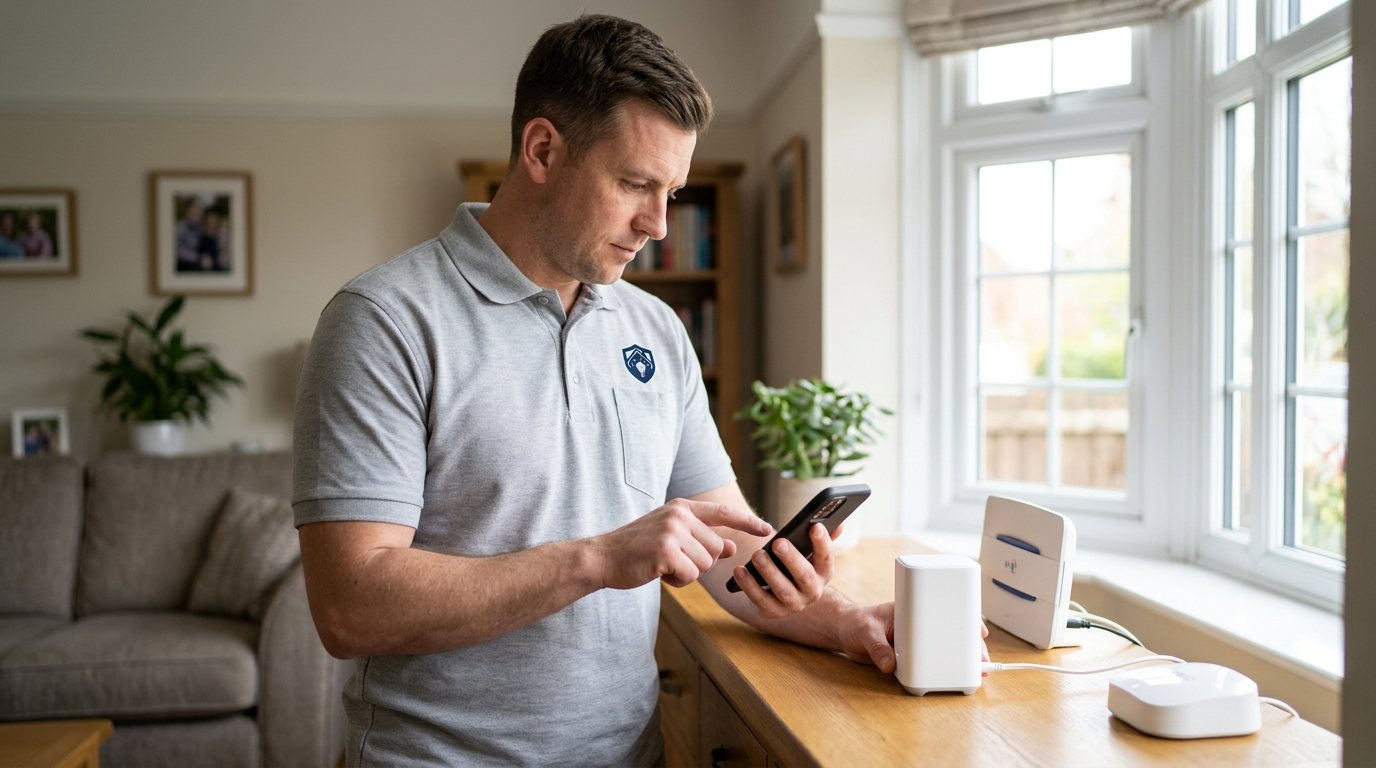
Pairing is the initial handshake between a smart device and its hub, and it depends on both sides being ready at the same time. A hub may be listening on the wrong band, the device may not be fully in pairing mode, a weak battery may prevent the handshake completing, or a previous incomplete attempt may have left stale information in the app. When pairing fails, the important thing is not to keep repeating the same steps; it is to identify which condition is missing.
Before pairing: the basics
The device needs power, a working hub and the right wireless conditions. Many security devices use 2.4GHz WiFi or a separate low-power radio protocol, and cannot join a 5GHz-only network; phones sometimes remain on 5GHz while the device expects 2.4GHz, leaving setup stuck at the final step. Distance matters too: pairing often works best close to the hub, but the final test must happen at the device's actual position. Battery-powered devices need a healthy cell, and some only enter pairing mode for a short period after pressing a button.
How we diagnose the failure
We check the manufacturer's pairing instructions for the exact device, confirm the hub is online and has capacity, and test the device's battery and signal. Then we look at what the app actually shows: no device found, pairing timeout, device listed but offline, or a request to scan a code. Each message points somewhere different. We clear stale incomplete pairings carefully, keeping the rest of your system's configuration intact wherever possible, and then pair again using the correct sequence.
Reconnecting safely
Once the handshake completes, we test the device at its intended location, not just beside the hub. A device that pairs close up but drops when moved has a range or placement problem, and we address that rather than calling it fixed. We check that a triggered sensor produces an event in the app and that camera live view or recording works as expected. If the device itself proves faulty, we explain the evidence and quote a replacement separately.
Security and network limits
We do not weaken router encryption, disable device authentication or use shared default passwords to force a pairing. Those shortcuts make a security system less secure, and pairing should not require them. Where the issue comes from a manufacturer's app, cloud service or third-party platform, we can diagnose the local setup but cannot guarantee the external service will be available.
Reasonable DIY steps
If the manual supports it, you can replace the battery, bring the device near the hub, check the router offers the supported band and try the pairing sequence once more. Avoid factory-resetting the whole hub without a backup or instructions, because that can erase every device and routine. Mains-connected devices and fixed wiring should be handled by an engineer.
Booking a pairing visit
Book through the Maintenance Men website or by phone. Tell us the device and hub make, how many times pairing has been attempted, what error appears, and whether the device ever showed as connected. If you recently changed the router, phone or account password, mention that too; it is often the clue.
Check the final location
A successful pairing screen only proves the device and hub exchanged a setup handshake at one moment; it does not prove the link will hold where the device is installed. We therefore test the device at its intended position after pairing, check for reliable status updates and make sure the app shows the right room or name. This matters particularly for cameras and external sensors, where walls, metal frames and distance can turn a successful setup into a recurring offline fault. If the signal is marginal, we explain placement options before you approve further work.
How the price works
We charge a booking fee to hold your slot, then an hourly rate for the work itself. The fee changes with how soon you need us; the hourly rate changes with the slot you choose. You approve the price before we start, so there is no surprise on the invoice.
Booked 14+ days ahead
£25 booking fee
then £85 per hour of labour
Best value. Book the slot now, pay the smallest booking fee.
Booked within 48 hours
£100 booking fee
then £65 per hour of labour
For jobs that can wait a day or two but not a fortnight.
Same-day call-out
£220 booking fee
then £45 per hour of labour
Urgent problems: standing water, no heat, no power, leaks.
Book the slot
Choose the window that suits you and pay the booking fee. That holds your place in the diary.
We diagnose on site
The engineer confirms the cause and tells you what the job involves and how long it should take.
You approve, we work
Nothing goes ahead until you agree the price. Labour is then charged per hour at your slot rate.
Pairing should be the easy part: scan a code, press a button, device connected. When it is not, repeated attempts can leave your system in a confusing half-joined state — listed in the app but not reporting, or invisible entirely. We work out whether the cause is pairing mode, range, battery, wireless band or an account issue, then connect the device cleanly and test it.
What our customers say about our Security & CCTV service
5 out of 5 from 7 reviews
Would use again
Third time we have used Maintenance Men, and the same experience each time: agreed price, proper explanation, job done in one visit. The hourly rate is fair for the standard of work.
Job: CCTV Installation
Second time we have used them
I had put off sorting this for months because I expected a runaround. Quoted the booking fee plus hourly rate upfront, stuck to it, and actually found the underlying cause rather than just clearing the symptom. Worked neatly and hoovered up afterwards.
Job: Backup Battery Fault
Exactly what was quoted
What I appreciated was being told what was actually wrong before anyone started. Sorted in under 56 minutes and the invoice matched the quote to the penny.
Job: Alarm Repair Service
Book Smart Device Pairing Issues
Tell us what is happening and choose a slot. If you are not sure this is the right job, use the diagnosis panel — it narrows the problem down before you book.
- Booking fee confirmed up front
- Hourly labour, agreed before work starts
- Same-day slots for urgent problems



Questions people ask about smart device pairing issues
Straight answers to the things customers ask most often before booking.
Can I pair a security device myself?
Yes, when the manufacturer’s manual describes the process and the device is battery or plug powered. Try it close to the hub with a fresh battery, but stop if repeated attempts fail — the cause may be hub capacity, band compatibility or stale pairing data, and repeating the same steps will not fix those.
What do you check when pairing fails?
We check the device’s power, supported wireless band, pairing mode and signal, then confirm the hub is online and able to accept another device. We also read the app’s exact error and clear any incomplete pairing state carefully.
Will you disable WiFi security to make a device connect?
No. We will not weaken encryption, bypass authentication or use unsafe defaults to force pairing. We diagnose the supported configuration and look for a fix that preserves your network security.
Why does pairing work beside the hub but not in the room where I want the device?
That usually points to range or interference at the final location, not a bad pairing process. We measure signal where the device will live and recommend a practical placement or coverage change rather than calling a short-range test a completed job.
How much does a pairing visit cost?
You pay a booking fee when you book, and labour is charged hourly at a rate that depends on how soon you need the visit. The full cost of the work is quoted and approved by you before we start, with any parts quoted separately.
Need smart device pairing issues sorted in Knowle?
Book a slot in the diary and pay only the booking fee up front. We confirm the rest before we start.