
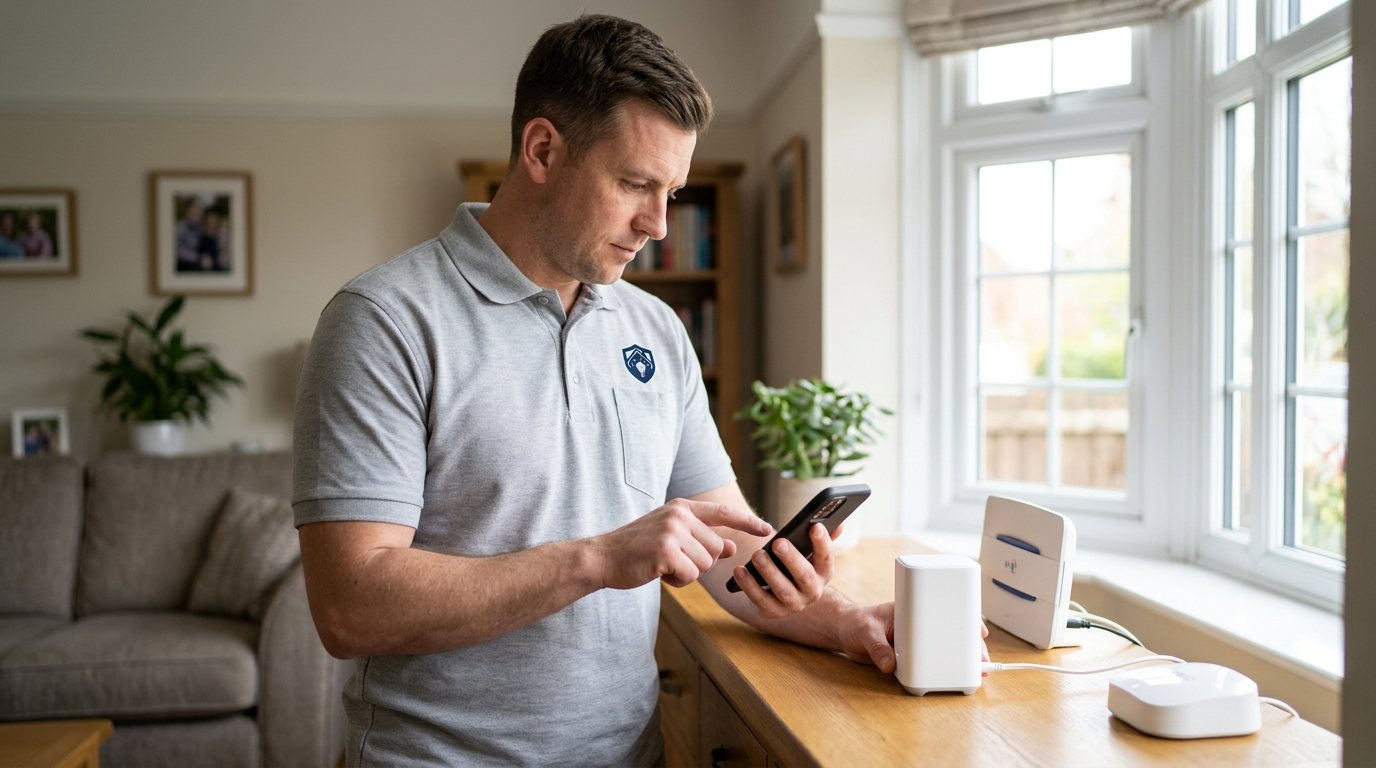
Security Device Dead? We'll Find Out Why It Won't Power Up in Kenilworth
We diagnose a device that will not power on — supply, batteries, connections or the device itself — before any replacement.
Booking fee plus hourly labour — the price is confirmed before any work starts.
What this costs
| Booked 14+ days ahead | £25 booking fee £85 per hour |
|---|---|
| Booked within 48 hours | £100 booking fee £65 per hour |
| Same-day call-out | £220 booking fee £45 per hour |
The booking fee secures the visit. Labour is then charged by the hour, so you only pay for the time the job actually takes.
Booking fee £25–£220
£25 + £85/hr booked 14+ days ahead, £100 + £65/hr inside 48 hours, £220 + £45/hr same day. Agreed before we arrive.
Covered under Smart Security
Security & CCTV › Smart Security — one of 20 documented jobs in this section.
Same-day smart security device not powering on
Urgent jobs can often be booked for today. Ask when you book and we will confirm the slot before you pay anything.
15 service areas
Birmingham, Coventry, Dorridge and 12 more across the West Midlands.
Power faults are the most binary problems in smart security, but the diagnosis is not binary at all. A device that shows no signs of life may have a failed adapter, a worn cable, a tripped supply point, corroded battery contacts, an internal fuse or a genuinely dead board — and each of those has a different answer. Working through them in order, from the wall socket inward, is the disciplined way to find the truth without buying replacements on spec.
The usual causes, outside in
Start at the wall: a socket that has been switched off, a tripped circuit, or an adapter that has quietly failed — adapters fail more often than the devices they power. Then the cable: USB leads wear at the plug, and a cable that charges a phone slowly may not deliver enough current for a camera or hub at all. Then the battery: rechargeable batteries that no longer hold charge, disposable cells that sagged and corroded, or contacts that need cleaning. Only after the whole external power path checks out does the device itself become the suspect.
How we diagnose it
We test the supply with proper equipment rather than by swapping parts hopefully: adapter output, cable condition and delivery, socket power, and battery voltage under load — because a battery can read fine unloaded and still be unable to run the device. We check for signs that matter: does the device show any brief flicker when power is applied, does it warm up, does it boot and then shut down? Those details separate a power-path problem from a failing device, and they also flag anything that should not be powered again until checked, such as a device that smells hot or has taken moisture.
What we can do on the day
If the fault is in the power path, we can often fix it there and then: a correct-specification replacement supply or cable, cleaned or replaced batteries, a relocated socket or a tidied, safer connection. If the device itself has failed, we will say so plainly and quote a replacement separately — using manufacturer-approved parts where the system requires them — rather than pretending a repair is possible when it is not. Nothing is replaced without your approval of the quote.
Safety boundaries
Batteries, plugs, adapters and cables are honest DIY territory if you match the manufacturer's specifications — and matching them matters, because an underpowered supply causes exactly the intermittent faults you are trying to eliminate. But anything mains-wired, hard-connected or sealed is engineer work: opening a mains-powered device, or replacing internal components, is neither safe nor sensible for a homeowner. We will never advise opening sealed equipment.
Aftercare
Once power is restored, watch the device for a week. A device that boots and later shuts down, or that reboots at particular times, still has a power story to tell — often a marginal supply or a failing battery — and catching it early avoids a repeat outage. Note the adapter and battery types you use so replacements stay on-spec.
Booking
Book through the Maintenance Men website or by phone. Tell us the device type and make, how long it has been dead, whether anything happened before it failed — a storm, a power cut, a move — and whether you have already tried a different cable or adapter. If you tried something and it made no difference, say so; that is diagnostic information too.
When not to reconnect it yourself
If a device stopped after water ingress, a lightning strike, a hot smell or visible damage, leave it disconnected. Powering a damaged device to see if it still works can turn a repairable fault into a total failure, and with mains-connected equipment it may create a safety risk. Tell us what happened and we will make the first check a safe one. Likewise, if a hub or camera has no power after a storm or electrical event, do not keep swapping adapters until one appears to work — a wrong-voltage supply can cause more damage than the original fault.
How the price works
We charge a booking fee to hold your slot, then an hourly rate for the work itself. The fee changes with how soon you need us; the hourly rate changes with the slot you choose. You approve the price before we start, so there is no surprise on the invoice.
Booked 14+ days ahead
£25 booking fee
then £85 per hour of labour
Best value. Book the slot now, pay the smallest booking fee.
Booked within 48 hours
£100 booking fee
then £65 per hour of labour
For jobs that can wait a day or two but not a fortnight.
Same-day call-out
£220 booking fee
then £45 per hour of labour
Urgent problems: standing water, no heat, no power, leaks.
Book the slot
Choose the window that suits you and pay the booking fee. That holds your place in the diary.
We diagnose on site
The engineer confirms the cause and tells you what the job involves and how long it should take.
You approve, we work
Nothing goes ahead until you agree the price. Labour is then charged per hour at your slot rate.
A camera with a dead LED, a hub that shows no lights, a keypad that does not wake up — a security device that will not power on is a hard fault, and it usually has an ordinary cause. Power supplies fail, cables wear, batteries reach the end of their life and connections work loose, long before the device itself has actually died. We diagnose the power path first, so you do not replace equipment that only needed a supply or a connection put right.
What our customers say about our Security & CCTV service
5 out of 5 from 7 reviews
Would use again
Third time we have used Maintenance Men, and the same experience each time: agreed price, proper explanation, job done in one visit. The hourly rate is fair for the standard of work.
Job: CCTV Installation
Second time we have used them
I had put off sorting this for months because I expected a runaround. Quoted the booking fee plus hourly rate upfront, stuck to it, and actually found the underlying cause rather than just clearing the symptom. Worked neatly and hoovered up afterwards.
Job: Backup Battery Fault
Exactly what was quoted
What I appreciated was being told what was actually wrong before anyone started. Sorted in under 56 minutes and the invoice matched the quote to the penny.
Job: Alarm Repair Service
Book Smart Security Device Not Powering On
Tell us what is happening and choose a slot. If you are not sure this is the right job, use the diagnosis panel — it narrows the problem down before you book.
- Booking fee confirmed up front
- Hourly labour, agreed before work starts
- Same-day slots for urgent problems




Questions people ask about smart security device not powering on
Straight answers to the things customers ask most often before booking.
Can I troubleshoot a dead device myself?
Checking the socket, trying a known-good cable and adapter of the correct specification, and replacing or recharging batteries are all reasonable DIY steps. But if the device still shows no life after that, the fault may be internal, and opening sealed or mains-connected equipment is not a DIY job.
How do you tell a dead device from a dead power supply?
We test the supply properly — adapter output, cable delivery, battery voltage under load — before judging the device. Signs like a brief flicker at power-on, or booting then shutting down, point to the power path rather than the device, and those are fixable cheaply.
Should a device that overheated or smelled of burning be used again?
No. A device that has overheated, smelled hot or taken moisture should stay disconnected until it has been checked. Powering it again risks further damage and, with any mains-connected equipment, a safety risk. Tell us about it before we attend so we come prepared.
My battery device died even though the app showed it fine — why?
App battery indicators are often coarse and can show healthy until shortly before failure, especially in cold weather. A battery that reads okay unloaded may still collapse under load. Testing voltage under load is the only honest check, which is part of our diagnosis.
How is the visit charged?
You pay a booking fee when you book, and labour is charged hourly at a rate that depends on how soon you need the visit. The full cost of the work is quoted and approved by you before we start, with any parts quoted separately.
Need smart security device not powering on sorted in Kenilworth?
Book a slot in the diary and pay only the booking fee up front. We confirm the rest before we start.