
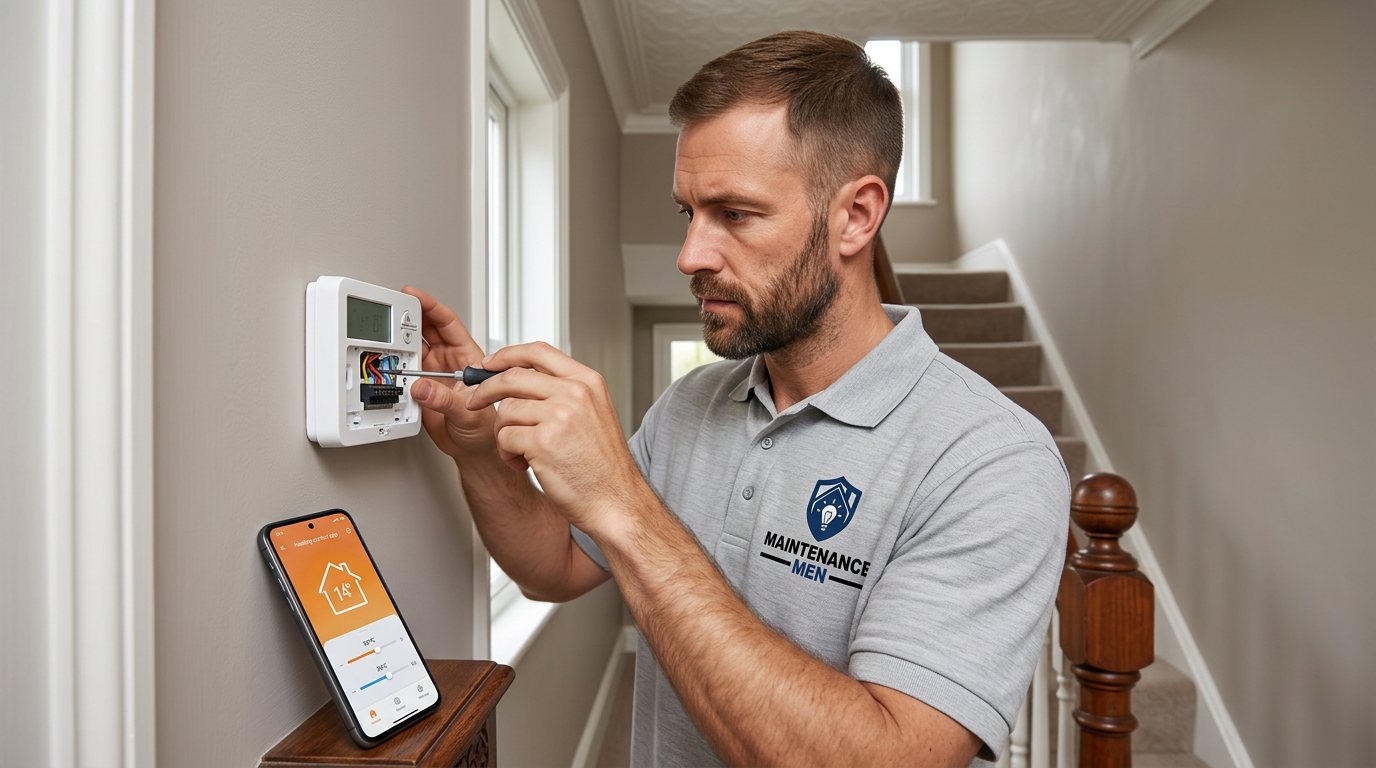
Diagnose a smart thermostat that will not join your home Wi-Fi in Edgbaston
We check the thermostat's connection status, supported network requirements and practical router or hub factors without promising network performance.
Booking fee plus hourly labour — the price is confirmed before any work starts.
What this costs
| Booked 14+ days ahead | £25 booking fee £85 per hour |
|---|---|
| Booked within 48 hours | £100 booking fee £65 per hour |
| Same-day call-out | £220 booking fee £45 per hour |
The booking fee secures the visit. Labour is then charged by the hour, so you only pay for the time the job actually takes.
Booking fee £25–£220
£25 + £85/hr booked 14+ days ahead, £100 + £65/hr inside 48 hours, £220 + £45/hr same day. Agreed before we arrive.
Covered under Thermostats
Heating & Radiators › Thermostats — one of 22 documented jobs in this section.
Same-day smart thermostat not connecting to wifi
Urgent jobs can often be booked for today. Ask when you book and we will confirm the slot before you pay anything.
15 service areas
Birmingham, Coventry, Dorridge and 12 more across the West Midlands.
A smart thermostat that will not connect can still leave you with questions about basic heating control. We check the unit's connection setup and compatible network conditions, then explain whether the issue appears to be the thermostat, router, hub or configuration.
What the symptoms can tell us
Wi-Fi setup depends on the thermostat model and the home network working together. A changed router name or password, signal weakness at the thermostat, a supported-band requirement, security setting or temporary router outage may prevent joining. Some systems also rely on a separate hub or bridge, so a phone app appearing online does not prove that the thermostat itself is paired correctly. Product instructions differ; not every device supports every router arrangement or mesh configuration. The thermostat may continue to control heating locally even if remote access is unavailable, but that depends on its model and settings. Note the error wording, when it began, and whether the router, broadband provider, hub or thermostat was recently replaced or reset.
Checks during the visit
We identify the thermostat model and its documented connection method, then review its on-screen status and the setup steps already tried. Practical checks may include whether the router and hub are powered, the unit is within usable signal range, network credentials are current and the manufacturer's stated Wi-Fi requirements are met. Where possible, the engineer tests whether local thermostat control still works separately from internet access. We do not promise to configure every router, diagnose an internet provider's network or guarantee future connectivity. Account access, app permissions and router administration remain with the customer. Any change to router settings is discussed first and should follow the maker's guidance.
Repair choices and limits
If the problem is a simple pairing step or a supported setting, the engineer can guide the agreed setup and confirm the thermostat's reported status. A weak signal may require the customer or network provider to consider router placement or suitable equipment; a hub may need model-specific re-pairing. If a thermostat is defective or incompatible with the existing system or network, replacement is only considered after checks. App or internet connectivity is not the same as the heating control circuit working correctly, so a separate heating response fault may need its own diagnosis. No cybersecurity, privacy or uninterrupted service guarantee is made.
Electrical and heating safety
A thermostat is a control device, not permission to work inside a boiler. Maintenance Men handles thermostat controls and suitable electrical or water-side heating faults within scope, but does not carry out gas work or open a gas boiler to adjust gas components. If symptoms suggest a combustion, flue or other gas-side safety concern, stop using the appliance if advised, leave it unopened, and arrange a Gas Safe registered engineer; an urgent gas smell is not a routine booking. Do not remove covers, probe live terminals or bypass a control. The engineer will explain any limit before proceeding.
Booking, price and next steps
The booking is for the stated diagnostic or defined thermostat visit, not an automatic promise that every fault can be fixed in one appointment. Booking fee is paid when booking; the hourly labour rate depends on how soon you need the visit. The full cost for the agreed work is quoted and you approve it before work starts. Any required replacement control, wiring materials or other parts can be identified and quoted separately; parts are not assumed to be included. Availability, compatibility and access may affect the next step. Book online and include the thermostat make and model, heating system type if known, symptoms, and anything already checked.
After the visit
After a successful connection, follow the manufacturer's advice for account security, software updates and recovery details. Keep router credentials private and do not share passwords with an engineer; the customer can enter them directly when needed. Check whether basic local heating still works if broadband is unavailable. If the connection drops again, record the exact status and whether other household devices also lose Wi-Fi. Avoid repeated factory resets unless the manual explains their effect, since they can erase schedules or pairing information.
How the price works
We charge a booking fee to hold your slot, then an hourly rate for the work itself. The fee changes with how soon you need us; the hourly rate changes with the slot you choose. You approve the price before we start, so there is no surprise on the invoice.
Booked 14+ days ahead
£25 booking fee
then £85 per hour of labour
Best value. Book the slot now, pay the smallest booking fee.
Booked within 48 hours
£100 booking fee
then £65 per hour of labour
For jobs that can wait a day or two but not a fortnight.
Same-day call-out
£220 booking fee
then £45 per hour of labour
Urgent problems: standing water, no heat, no power, leaks.
Book the slot
Choose the window that suits you and pay the booking fee. That holds your place in the diary.
We diagnose on site
The engineer confirms the cause and tells you what the job involves and how long it should take.
You approve, we work
Nothing goes ahead until you agree the price. Labour is then charged per hour at your slot rate.
A smart thermostat that will not connect can still leave you with questions about basic heating control. We check the unit's connection setup and compatible network conditions, then explain whether the issue appears to be the thermostat, router, hub or configuration.
What our customers say about our heating & radiators service
5 out of 5 from 10 reviews
Fast, tidy and friendly
Booked the £220 booking-fee slot on Tuesday and got a message confirming the time the same morning. The cause was explained, the price agreed before any work started, and the job was done in about 46 minutes. Clean and tidy when they left.
Job: No Heating from Boiler
Turned up when they said
What I appreciated was being told what was actually wrong before anyone started. Sorted in under 46 minutes and the invoice matched the quote to the penny.
Job: Expansion Vessel Fault
Exactly what was quoted
I had put off sorting this for months because I expected a runaround. Quoted the booking fee plus hourly rate upfront, stuck to it, and actually found the underlying cause rather than just clearing the symptom. Worked neatly and hoovered up afterwards.
Job: Airlock in Hot Water System
Book Smart Thermostat Not Connecting to WiFi
Tell us what is happening and choose a slot. If you are not sure this is the right job, use the diagnosis panel — it narrows the problem down before you book.
- Booking fee confirmed up front
- Hourly labour, agreed before work starts
- Same-day slots for urgent problems

Questions people ask about smart thermostat not connecting to wifi
Straight answers to the things customers ask most often before booking.
Can I try reconnecting it myself?
You can follow the thermostat maker's normal setup guide and confirm the router is working. Check the model's stated network requirements first; do not reset equipment if you are unsure whether it will erase pairing or heating settings.
What will the visit check?
The engineer checks the model, connection status, setup history and practical router or hub conditions, while distinguishing local heating control from remote access. Account and provider issues may need the customer or network provider.
Will you guarantee it stays connected to Wi-Fi?
No. Connectivity depends on the device, router, signal, broadband and software outside the heating visit. The engineer can assess and help with supported setup steps but cannot guarantee network availability or security.
Does losing Wi-Fi mean the heating stops?
Not necessarily; local operation depends on the thermostat model and configured controls. Check the maker's instructions and note whether the heating still responds at the wall unit.
How much does the visit cost?
The booking fee is paid when booking; the hourly labour rate depends on how soon you need the visit. The full cost is quoted for your approval before work starts, and any parts or materials are identified and quoted separately.
Need smart thermostat not connecting to wifi sorted in Edgbaston?
Book a slot in the diary and pay only the booking fee up front. We confirm the rest before we start.