
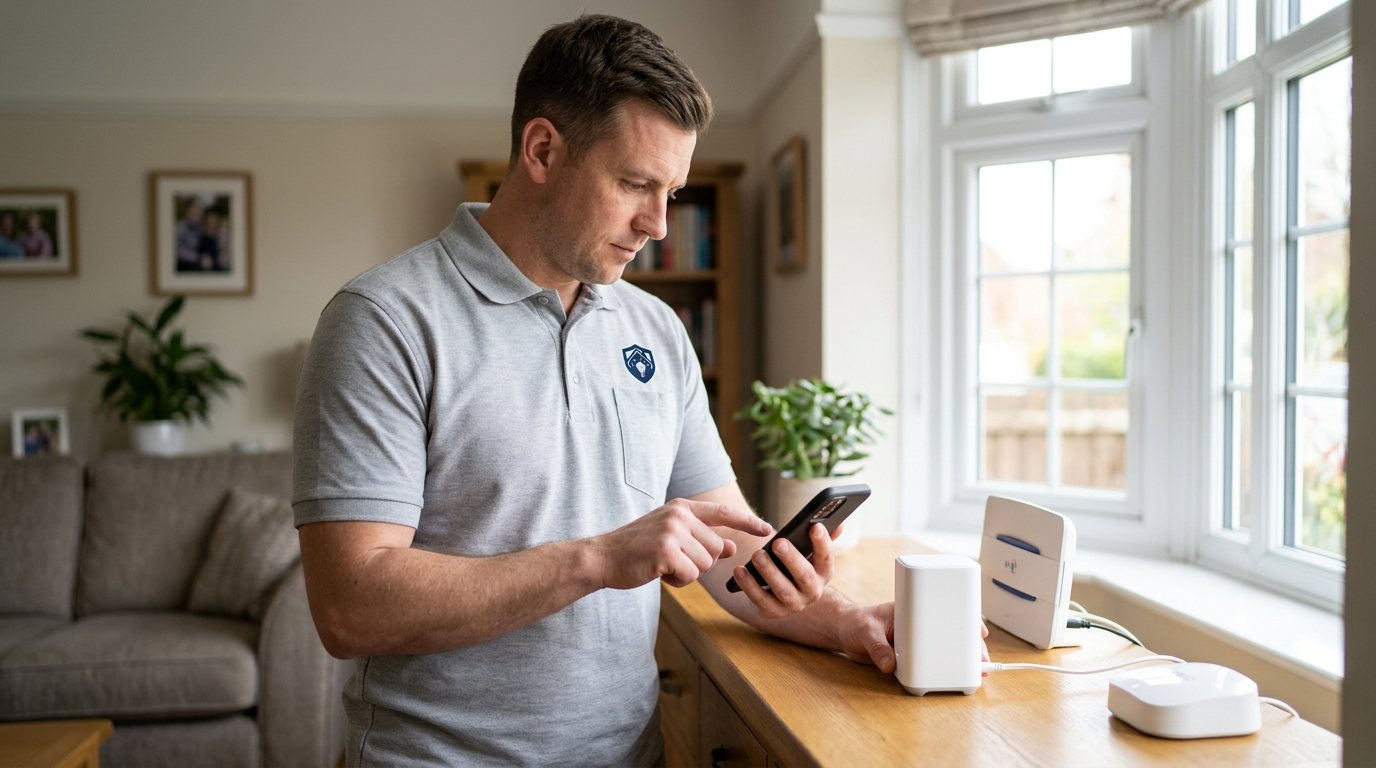
Cannot Connect Your Smart Security System? We'll Rebuild the Link in Dudley
We trace where the connection between your devices, hub and network is failing and put it right.
Booking fee plus hourly labour — the price is confirmed before any work starts.
What this costs
| Booked 14+ days ahead | £25 booking fee £85 per hour |
|---|---|
| Booked within 48 hours | £100 booking fee £65 per hour |
| Same-day call-out | £220 booking fee £45 per hour |
The booking fee secures the visit. Labour is then charged by the hour, so you only pay for the time the job actually takes.
Booking fee £25–£220
£25 + £85/hr booked 14+ days ahead, £100 + £65/hr inside 48 hours, £220 + £45/hr same day. Agreed before we arrive.
Covered under Smart Security
Security & CCTV › Smart Security — one of 20 documented jobs in this section.
Same-day cannot connect smart security system
Urgent jobs can often be booked for today. Ask when you book and we will confirm the slot before you pay anything.
15 service areas
Birmingham, Coventry, Dorridge and 12 more across the West Midlands.
A smart security system is a small network in its own right. Devices talk to a hub or bridge, the hub talks to your router, and the router connects everything to the manufacturer's cloud and your app. 'Cannot connect' can therefore mean several different things: a device cannot reach the hub, the hub cannot reach the router, the router cannot reach the internet, or the app cannot reach the cloud. Diagnosing which of those is happening is the first half of the job, and it is where most DIY attempts stall.
The usual suspects
Power cuts and router reboots are the classic triggers. When a router restarts, it can hand the hub a different internal address, and devices configured for the old one stop talking. Weak WiFi where the hub or a camera sits is another frequent cause — a signal that looks fine on your phone upstairs can be marginal at the hub's position in the hallway. Batteries are the quiet culprit too: a sensor whose battery has sagged below the threshold will show as unreachable long before it dies completely. Finally, router settings such as band steering or client isolation can deliberately or accidentally block device-to-device traffic.
How we diagnose the failure point
We test the chain in order. First, is your broadband actually up, and does the hub have power and a solid link light? Second, can the hub see your network — and if it is a 2.4GHz-only device, is the router offering a suitable band? Third, do individual devices respond to the hub, which tells us whether the fault is system-wide or isolated to one sensor or camera. Where the signal is the issue, we measure it at the device locations rather than guessing, because placement problems are best fixed with evidence.
Fixes we can carry out
Practical fixes include re-establishing the hub's connection, adjusting router settings that are blocking devices, re-pairing devices that have dropped out, relocating a hub or adding a sensible positioning change to improve signal, and replacing batteries that are on their way out. If a device itself has failed, we will tell you and quote a replacement separately rather than selling you a fix the hardware cannot deliver.
What we cannot promise
We do not control your internet provider, the manufacturer's cloud service or third-party platforms, so we cannot guarantee those services stay available. We also do not weaken security settings — router passwords, encryption or device authentication — to force a connection. If a connection problem can only be solved by lowering security, that is not a solution we will offer; we will find an honest alternative or tell you the limits.
Battery and wiring boundaries
Batteries, plugs and user-serviceable parts are fair game for anyone confident with a screwdriver, and we are happy to show you how. Anything mains-wired — a hard-wired panel, a powered hub installation, cabling to cameras — is engineer work, both for safety and because a bad DIY connection on security wiring causes exactly the intermittent faults you are trying to eliminate.
Booking your diagnostic visit
Book through the Maintenance Men website or by phone. When you book, tell us the make of the system or hub, roughly when the connection was last working, whether anything changed at home — new router, power cut, new devices — and which devices show offline. If the manufacturer's app shows error messages, a screenshot is genuinely useful. The more of that you can give us, the more of the visit we can spend fixing rather than discovering.
Why speed of response matters
A security system that cannot connect is not protecting you the way it should, so we treat connection faults as a priority rather than a curiosity. While you wait for a visit, check that sensors and cameras are still powered — some continue recording or alarming locally even when the app cannot reach them, and knowing what is still working helps you judge the real risk. If the system includes any siren or local alarm function, test it gently once the connection is restored so you know the whole chain works end to end.
How the price works
We charge a booking fee to hold your slot, then an hourly rate for the work itself. The fee changes with how soon you need us; the hourly rate changes with the slot you choose. You approve the price before we start, so there is no surprise on the invoice.
Booked 14+ days ahead
£25 booking fee
then £85 per hour of labour
Best value. Book the slot now, pay the smallest booking fee.
Booked within 48 hours
£100 booking fee
then £65 per hour of labour
For jobs that can wait a day or two but not a fortnight.
Same-day call-out
£220 booking fee
then £45 per hour of labour
Urgent problems: standing water, no heat, no power, leaks.
Book the slot
Choose the window that suits you and pay the booking fee. That holds your place in the diary.
We diagnose on site
The engineer confirms the cause and tells you what the job involves and how long it should take.
You approve, we work
Nothing goes ahead until you agree the price. Labour is then charged per hour at your slot rate.
When a smart security system refuses to connect — devices showing offline, a hub blinking at you, an app stuck on 'connecting' — it can feel like the whole setup has given up. In practice there is almost always one specific link in the chain that has failed, and it is usually findable. Our visit diagnoses the connection end to end: your broadband, your router settings, the hub, and each device's own link. We explain what we find in plain English and only quote work once you have approved it.
What our customers say about our Security & CCTV service
5 out of 5 from 7 reviews
Would use again
Third time we have used Maintenance Men, and the same experience each time: agreed price, proper explanation, job done in one visit. The hourly rate is fair for the standard of work.
Job: CCTV Installation
Second time we have used them
I had put off sorting this for months because I expected a runaround. Quoted the booking fee plus hourly rate upfront, stuck to it, and actually found the underlying cause rather than just clearing the symptom. Worked neatly and hoovered up afterwards.
Job: Backup Battery Fault
Exactly what was quoted
What I appreciated was being told what was actually wrong before anyone started. Sorted in under 56 minutes and the invoice matched the quote to the penny.
Job: Alarm Repair Service
Book Cannot Connect Smart Security System
Tell us what is happening and choose a slot. If you are not sure this is the right job, use the diagnosis panel — it narrows the problem down before you book.
- Booking fee confirmed up front
- Hourly labour, agreed before work starts
- Same-day slots for urgent problems


Questions people ask about cannot connect smart security system
Straight answers to the things customers ask most often before booking.
Is reconnecting a smart security system a DIY job?
Rebooting the router and hub and re-pairing a single device are reasonable DIY steps if your manual covers them. But if devices repeatedly drop off or the hub will not reconnect at all, the cause is usually in network settings or signal placement, which needs proper diagnosis.
What will you check on the visit?
We check broadband status, the hub's connection and lights, whether the router is offering the right wireless band, WiFi strength at each device's position, device batteries, and which devices respond to the hub. That sequence pinpoints exactly where the chain has broken.
Could this be a problem with the manufacturer's service rather than my kit?
It can be, and we will say so if it is. Cloud services do have outages and account issues we cannot fix from your home. What we can do is confirm your own equipment is configured correctly, so if the fault really is on their side, you know it with confidence.
My devices keep disconnecting after every router reboot — why?
That pattern usually means a fixed-address or band-selection mismatch: the hub expects an address or band that changes when the router restarts. It is a settings problem rather than a hardware fault, and once it is configured properly the system should survive routine reboots without your input.
How is the visit charged?
You pay a booking fee when you book, and labour is charged hourly at a rate that depends on how soon you need the visit. The full cost of the work is quoted and approved by you before we start, with any parts quoted separately. That way there are no surprises on the day.
Need cannot connect smart security system sorted in Dudley?
Book a slot in the diary and pay only the booking fee up front. We confirm the rest before we start.