
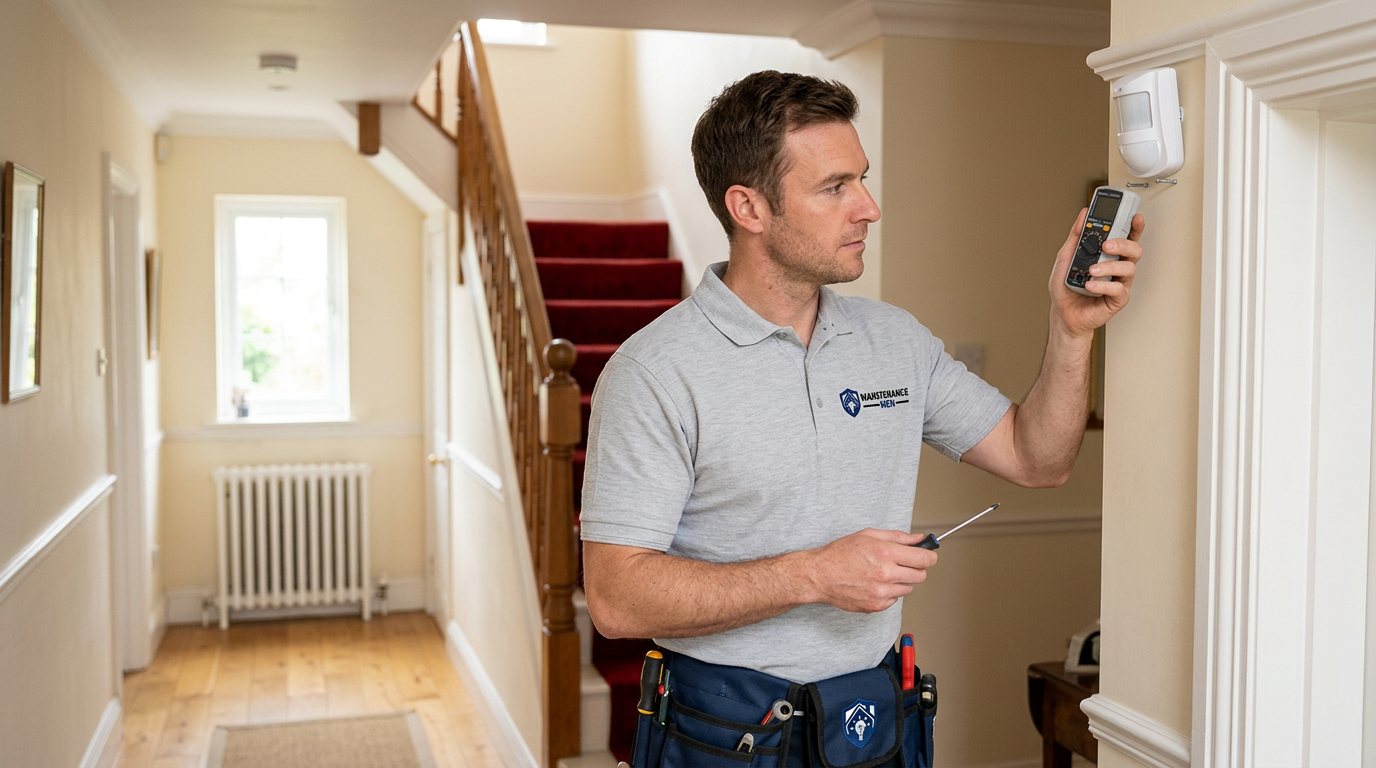
Wireless Sensor Won't Connect? We'll Rebuild the Link Properly in Dorridge
We diagnose why a smart or alarm sensor refuses to join its hub — battery, range, band, placement or pairing — and restore the connection with tests you can see.
Booking fee plus hourly labour — the price is confirmed before any work starts.
What this costs
| Booked 14+ days ahead | £25 booking fee £85 per hour |
|---|---|
| Booked within 48 hours | £100 booking fee £65 per hour |
| Same-day call-out | £220 booking fee £45 per hour |
The booking fee secures the visit. Labour is then charged by the hour, so you only pay for the time the job actually takes.
Booking fee £25–£220
£25 + £85/hr booked 14+ days ahead, £100 + £65/hr inside 48 hours, £220 + £45/hr same day. Agreed before we arrive.
Covered under Sensors & Detectors
Security & CCTV › Sensors & Detectors — one of 22 documented jobs in this section.
Same-day wireless sensor not connecting
Urgent jobs can often be booked for today. Ask when you book and we will confirm the slot before you pay anything.
15 service areas
Birmingham, Coventry, Dorridge and 12 more across the West Midlands.
Wireless sensors live or die by their radio link to a hub, panel or bridge, and when that link fails the fault usually shows itself as a sensor that will not connect at all, drops off the app repeatedly, or pairs and then vanishes again. Smart home sensors and wireless alarm devices share the same underlying physics, which is good news: the diagnostic path is the same, and it is short. The frustration comes from trying to fix it blind — re-pairing over and over, moving the sensor around at random — when a structured look at batteries, range, bands and placement usually names the cause within the first few minutes.
Why a wireless sensor will not connect
The battery comes first, always: a weak cell can power the sensor's electronics while starving its radio, which produces exactly the symptom of a sensor that lights up but will not join. Range and obstructions come next — a sensor at the far end of the house, through several walls, near metal radiators, foil-backed insulation, large appliances or inside a metal-framed cupboard, may be simply out of reliable reach. Radio band matters more than most people expect: many smart hubs work on 2.4GHz WiFi, and a home where the router has been set to favour 5GHz, or where the 2.4GHz band is congested with dozens of devices, can leave sensors with nowhere reliable to talk. Hub placement compounds all of this — a hub on the floor behind a television hears far less than one sited sensibly. Then there are the software-adjacent causes: a pairing that was never completed properly, firmware that needs updating, a hub that has lost its network connection, or a sensor that has fallen out of pairing mode before the hub heard it. Occasionally the sensor itself has failed, but that is the diagnosis of last resort, not the first guess.
How we diagnose it
We work outward from the simple. Battery first, tested rather than assumed. Then signal: we check the distance and obstructions between sensor and hub, look at what the sensor is mounted on, and if the equipment reports signal strength we read it rather than guess. We examine the hub's own status and its connection to the router and the wider network, because a sensor cannot join a hub that is itself offline. Band and congestion come next where the equipment allows it. Only then do we re-pair the sensor — properly, with the hub in its correct pairing mode and the sensor triggered in the sequence the manufacturer describes — and verify the result with a live test rather than a grey icon turning green once. By the end you will know whether the fix was a battery, a placement change, a band setting, a proper pairing, or a sensor that genuinely needs replacing.
Fixes and honest limits
Most connection faults are fixed by those means alone. Where a sensor is genuinely out of range, the honest options are re-siting the hub, adding a repeater or additional bridge where the system supports one, or accepting that the planned position does not work — we will say which applies rather than sell hardware that cannot help. No system can be guaranteed against all network or third-party service problems: cloud outages, app changes and router replacements can all affect connectivity, and we will tell you what is within your control and what is not. Parts are quoted separately and the full cost is approved before work starts.
Booking a connection diagnosis
Phone or use the website and tell us the sensor and hub makes, what the app shows, and whether anything changed recently — a new router, a house move, new devices. You pay a booking fee when you book, labour is charged hourly at a rate that depends on how soon you need the visit, and the full cost is quoted and approved before work starts, with any parts quoted separately.
How the price works
We charge a booking fee to hold your slot, then an hourly rate for the work itself. The fee changes with how soon you need us; the hourly rate changes with the slot you choose. You approve the price before we start, so there is no surprise on the invoice.
Booked 14+ days ahead
£25 booking fee
then £85 per hour of labour
Best value. Book the slot now, pay the smallest booking fee.
Booked within 48 hours
£100 booking fee
then £65 per hour of labour
For jobs that can wait a day or two but not a fortnight.
Same-day call-out
£220 booking fee
then £45 per hour of labour
Urgent problems: standing water, no heat, no power, leaks.
Book the slot
Choose the window that suits you and pay the booking fee. That holds your place in the diary.
We diagnose on site
The engineer confirms the cause and tells you what the job involves and how long it should take.
You approve, we work
Nothing goes ahead until you agree the price. Labour is then charged per hour at your slot rate.
A sensor stuck offline is maddening because it is so nearly working: the app shows it greyed out, pairing fails at the last step, and everything else in the house connects fine. The causes are almost always practical — batteries, range, radio bands, placement or a pairing that needs doing properly. We diagnose and rebuild the link.
What our customers say about our Security & CCTV service
5 out of 5 from 7 reviews
Would use again
Third time we have used Maintenance Men, and the same experience each time: agreed price, proper explanation, job done in one visit. The hourly rate is fair for the standard of work.
Job: CCTV Installation
Second time we have used them
I had put off sorting this for months because I expected a runaround. Quoted the booking fee plus hourly rate upfront, stuck to it, and actually found the underlying cause rather than just clearing the symptom. Worked neatly and hoovered up afterwards.
Job: Backup Battery Fault
Exactly what was quoted
What I appreciated was being told what was actually wrong before anyone started. Sorted in under 56 minutes and the invoice matched the quote to the penny.
Job: Alarm Repair Service
Book Wireless Sensor Not Connecting
Tell us what is happening and choose a slot. If you are not sure this is the right job, use the diagnosis panel — it narrows the problem down before you book.
- Booking fee confirmed up front
- Hourly labour, agreed before work starts
- Same-day slots for urgent problems



Questions people ask about wireless sensor not connecting
Straight answers to the things customers ask most often before booking.
Can I reconnect a wireless sensor myself?
Try the sensible basics first: a fresh battery of the correct type, and the manufacturer's documented pairing procedure. If the sensor still will not join, repeated blind attempts usually achieve nothing and can leave half-completed pairings that confuse the hub. That is the point where a structured diagnosis saves time.
What do you check on the visit?
We test the battery, check distance and obstructions between sensor and hub, examine the hub's own network status, look at radio band and congestion where the equipment reports it, and then re-pair the sensor properly with a live verification test. You get the named cause before any repair is quoted.
Could the problem be my internet rather than the sensor?
Very possibly — many smart hubs depend on your router and its settings, and some alarm systems report through cloud services. A hub that has lost its network connection will refuse every sensor. We check the hub's status as part of the diagnosis, but note that outages of third-party cloud services are outside anyone's on-site control.
Why did my sensor drop off after the router was replaced?
New routers commonly change settings that matter to smart devices — the 2.4GHz band may be disabled or merged, the network name or password changed, or the router placed differently. The sensor has not failed; its route to the hub has. We rebuild the connection and, where possible, make it resilient to the next change.
How is a connection diagnosis priced?
You pay a booking fee when you book, and labour is charged hourly at a rate that depends on how soon you need us. The full cost of the work is quoted and approved before we start, and any parts — batteries, repeaters or replacement sensors — are quoted separately.
Need wireless sensor not connecting sorted in Dorridge?
Book a slot in the diary and pay only the booking fee up front. We confirm the rest before we start.